15
Using the Sync Application to Download Courses
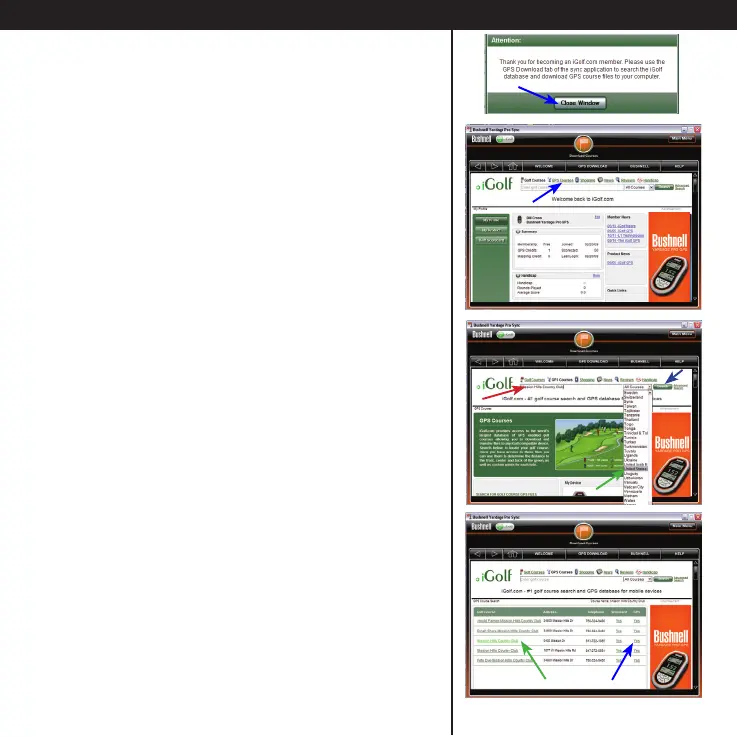
• After setting up your free trial membership,
close the “Attention” window. You will see your
account summary page. (Next time, you will just
log in with your email and password, and will be
prompted to upgrade to a paid membership to
download any additional courses).
• From here, you can search for a golf course
and download its GPS le. Click GPS Courses
near the top of the screen.
• Next, use the Search feature to nd a course:
1-Type its name where you see “Enter golf
course”.
2-Select your country from the pulldown list.
3-Click Search.
Or, if you prefer, click the “Advanced Search” link
next to the Search button-this will allow you to
restrict the search by state, city or zip code, set
search radius in miles, etc.
• You will see the search results list. If a GPS data
le is available for the course you want, “Yes” is
indicated in the GPS column for that course.
Click Yes (or the course name) to go to the
Course Info/Download screen for that course.
Hint: if you get a list of many courses with similar
names, look at their telephone number area codes.
Using the Sync Application to Download Courses





 To Next Page