16
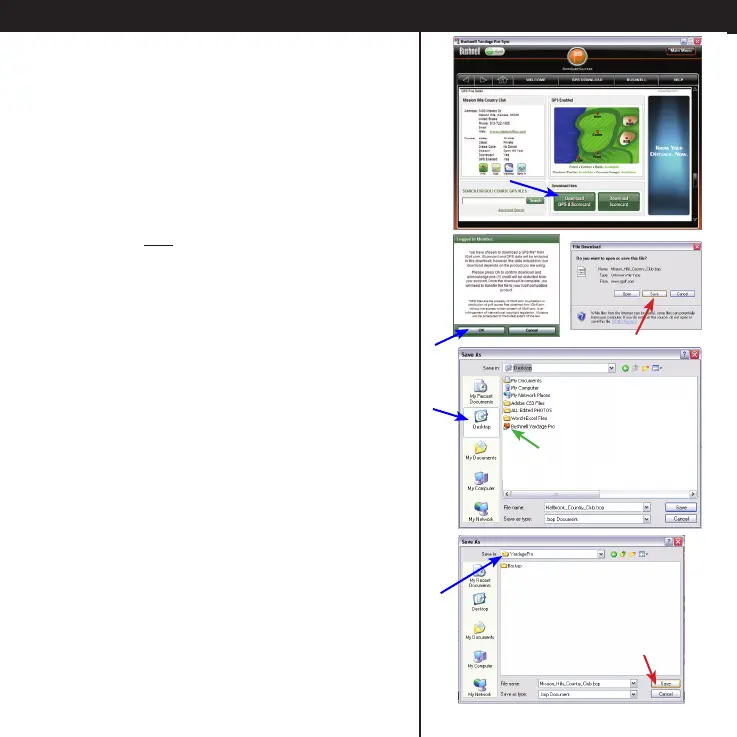
• On the Course Info screen, click Download
GPS & Scorecard.
• On the “Logged In..” pop-up window, click
OK to use one credit from your account and
open the le download window.
• Click Save (not Open) in the le download
window.
• In the Save As window, click “Desktop” in
the left frame.
The window will show the current contents
of your Windows desktop. Double click the
orange “Bushnell Yardage Pro” folder that was
placed there during the software installation.
• The “Save in:” destination should now
be the “YardagePro” folder. Selecting the
correct destination is important, so the Sync
application will be able to nd the course le.
• Click Save.
Using the Sync Application to Download Courses







 To Next Page