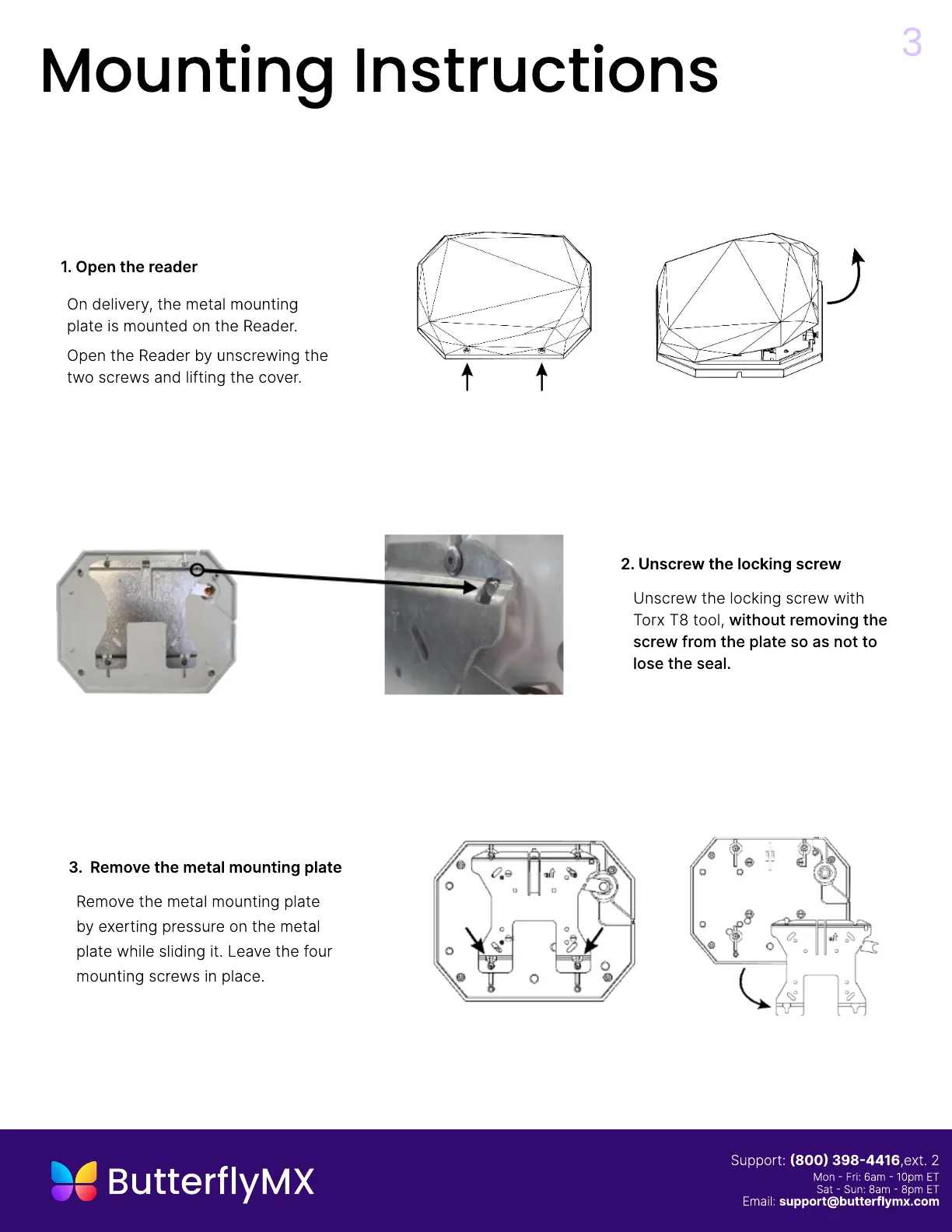
1. Open the reader
On delivery, the metal mounting
plate is mounted on the Reader.
Open the Reader by unscrewing the
two screws and lifting the cover.
3
Mounting Instructions
3. Remove the metal mounting plate
Remove the metal mounting plate
by exerting pressure on the metal
plate while sliding it. Leave the four
mounting screws in place
2. Unscrew the locking screw
Unscrew the locking screw with
Torx T8 tool, without removing the
screw from the plate so as not to
lose the seal.
Support: (800) 398-4416,ext. 2
Mon - Fri: 6am - 10pm E
Sat - Sun: 8am - 8pm ET
Email: support@butterflymx.com


 To Next Page