Amplifier Operation
Front Panel
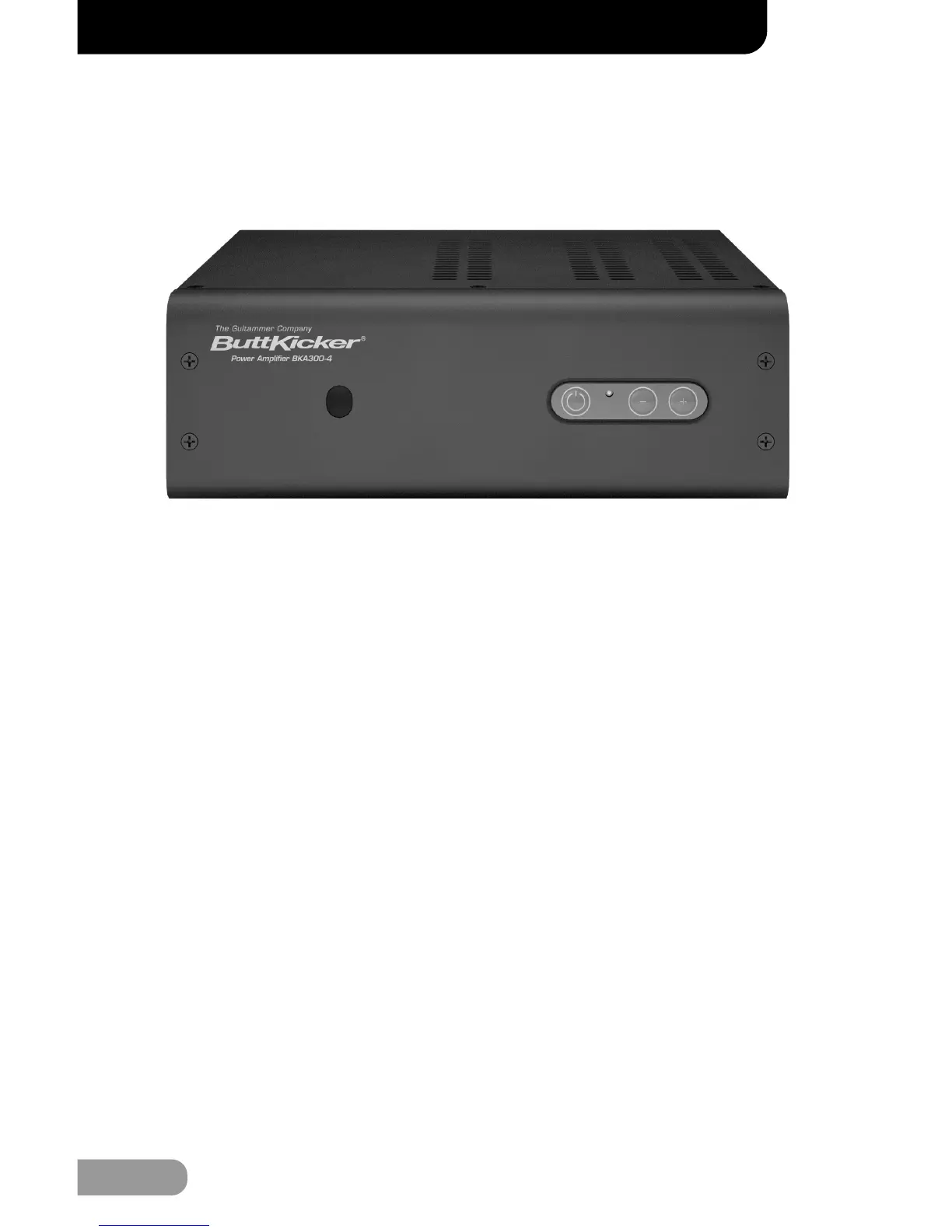
Front Panel Operation (From Left to Right)
INFRARED RECEIVER (IR EYE)
Used to receive line of sight commands from the Remote Control for remote
operation of the Amplifier. [Note: When the Wireless RF Transmitter and
Send units are used, the Remote Control only needs to be able to “see” the
RF Transmitter and not the Infrared Receiver on the Amplifier allowing the
Amplifier to be placed in a non-visible location.]
POWER BUTTON
The Power Button connects the AC line to the amplifier circuits (i.e. turns
the amplifier “on”). Check all amplifier connections and verify the AC line
power source before engaging the Power Button.
POWER STATUS INDICATOR (Tri-Color LED)
When the LED is “red” it indicates that the Amplifier is plugged into a
power source. A “green” LED indicates that the Amplifier has been turned
on either by using the Power Button on the front panel or the “On/Off”
button on the Remote Control. If the Amplifier does not receive audio
signal for more than 60 minutes the Amplifier will go into “stand-by mode”
and the LED will turn “yellow”. Once the amplifier receives audio signal
again the LED will turn “green”. If the Amplifier is turned off the LED turns
“red”.
INTENSITY CONTROL
Controls the output level of the Amplifier (i.e. the “volume” control). Set
this to balance the ButtKicker
®
Advance with the sound system when using the
amplifier to power the ButtKicker
®
Advance.
OWNER’S MANUAL
07


 To Next Page