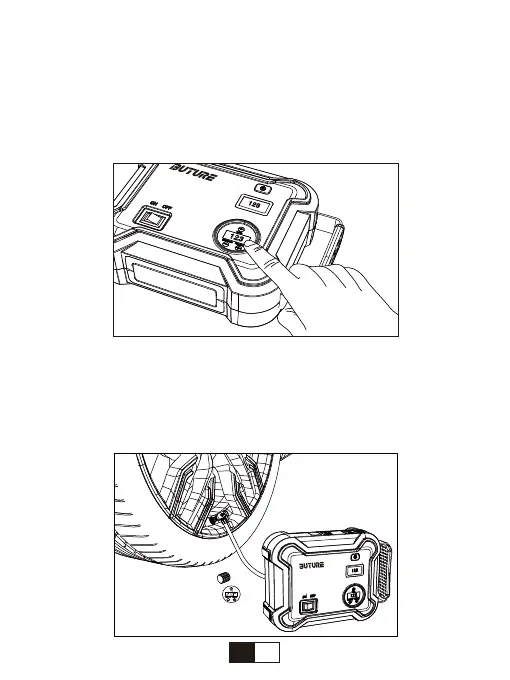
Step 2: Press the + Button/-Button to increase/decrease the air pressure value on
the LCD Air Pressure Display until your desired pressure is reached.
NOTE: Check your car's standard tire pressure before you set your desired
pressure. The standard tire pressure is usually displayed in the vehicle users
manual, the label next to the cab door (near the B pillar), the drawer next to the
driver's seat, the fuel door, etc.
Ste
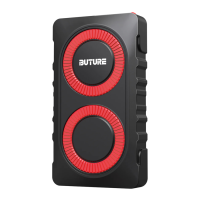
p 3: Remove the dust cap from the tire valve. Carefully remove the air hose from
BR700 Jump Starter and connect it securely onto the tire valve, then press down the
handle to fix the air hose. Once attached, your tire pressure will be displayed on the
LCD Air Pressure Display.
NOTE: The high temperature will pressurize the tire, so please inflate when the tire
cools.
10
EN


 To Next Page