9 EN
sales@ibuture.com
Press the ON/OFF button to turn on the vacuum, AUTO will
display blue light. The vaccum works in AUTO mode, it can
automatically adjust the power according to the amount of
dust.
Turn the knob clockwise, and AUTO will display white light.
The vacuum enters the manual mode.(10 gears to choose in
manual mode)
When turn clockwise to the MAX mode, MAX will displays red
light.
When the vacuum is on MAX mode turn the knob
counterclockwise, the suction power reduces. When the
suction power back to lowest, it will be back into AUTO mode.
AUTO displays blue light.
6. USING
6.1 Start the Vacuum Cleaner
6.2 Change Suction Grade
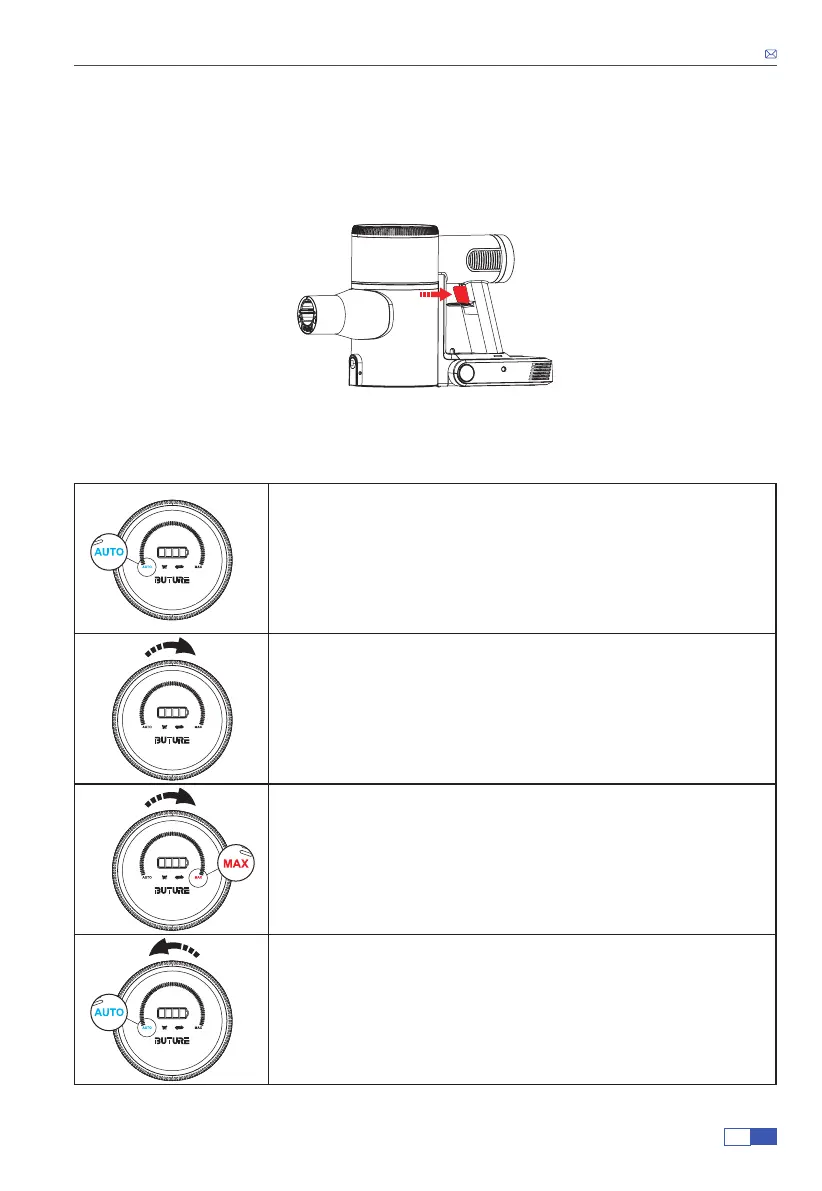
In the OFF state, press the ON/OFF button to start the vacuum cleaner.
Rotate Clockwise after Power On or in AUTO Mode


 To Next Page