EasyManua.ls Logo

BUTURE Pro BP10 - User Manual

Default Icon
22 pages
Print Icon
To Next Page IconTo Next Page
Loading...
User Manual
BP10
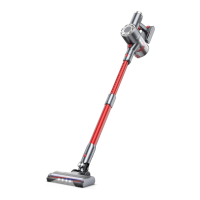
Cordless Vacuum Cleaner

Questions and Answers

Summary

WARNING

PACKAGE LIST

KNOW THE PRODUCT

Product Details

Identifies main components of the BP10 cordless vacuum cleaner with labels.

Digital Touch Screen

Explains the indicators and buttons on the digital touch screen interface.

Accessories Function

Describes the purpose and usage of various included accessories for cleaning.

PRODUCT ASSEMBLY

Install Vacuum Cleaner

Details how to connect cleaning accessories and the extension tube to the main body.

Install Wall Mount

Provides instructions and warnings for securely installing the wall mount for storage.

HOW TO USE

Charging

Explains when to charge and describes the different methods for charging the vacuum cleaner.

Operating

Covers pre-operation checks, starting the vacuum, selecting cleaning modes, and interpreting abnormal indicators.

MAINTENANCE

Clean the Main Body

Instructions for safely cleaning the main body of the vacuum cleaner.

Clean the Dust Cup;Filters

Guidance on when and how to empty the dust cup to maintain performance.

Wash Dust Cup and Filters

Step-by-step guide on removing and washing the dust cup and its filters.

Brush Roller Cleaning

Tips and instructions for cleaning the brush roller to ensure optimal suction.

SPECIFICATION

TROUBLESHOOTING

WARRANTY

Federal Communication Commission Interference Statement

Declaration of Conformity

BUTURE Pro BP10 Specifications

General IconGeneral
BrandBUTURE
ModelPro BP10
CategoryVacuum Cleaner
LanguageEnglish

Related product manuals