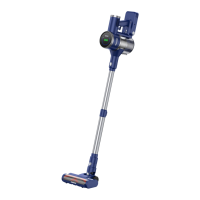
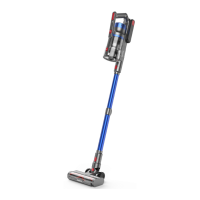
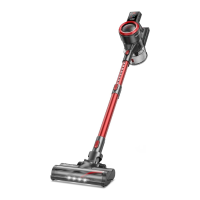
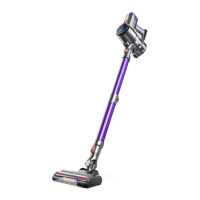
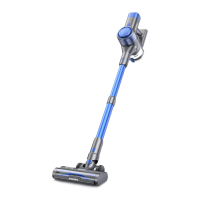
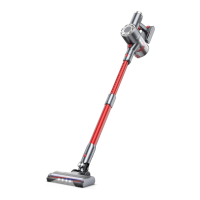
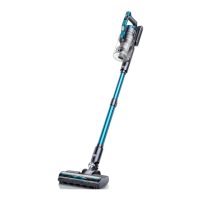
The BUTURE JR400 Stick Vacuum Cleaner is a versatile cleaning appliance designed for various household tasks. It functions as a powerful vacuum cleaner, offering both corded and cordless operation for flexibility. The device is equipped with a main body, a battery pack, and a telescopic aluminum alloy tube, allowing for adjustable length to suit different cleaning needs.
Function Description
The primary function of the BUTURE JR400 is to effectively remove dust and debris from various surfaces. It features a control panel that allows users to adjust suction power and provides a battery indicator to monitor remaining power. The control panel also includes reminders for when the floor brush or dust cup is clogged, ensuring optimal performance.
The vacuum cleaner is powered by a Li-ion battery, which can be charged using the supplied charger. The charging port is located on the main body. During charging, the battery indicator on the control panel displays the charging status, showing "100" when fully charged. The device is designed with safety in mind, incorporating over-current and over-voltage protection during charging, which causes the battery indicators to flash and the screen to go out if activated.
The BUTURE JR400 comes with several attachments to enhance its cleaning capabilities. The electric brush head, equipped with a hard and soft bristle integrated brush, is suitable for both hard and soft surfaces, including wood floors, cement floors, carpets, and sofas. For hard-to-reach areas, a crevice nozzle is provided, ideal for cleaning window gaps, under beds, sofa crevices, and drawers. A round brush is included for cleaning keyboards, desktops, cabinets, and lamps. A small cleaning brush helps to sweep away dust from the brushes and dust cup.
The device also features a dust cup release button, allowing for easy emptying of collected debris. An air filter and Hepa dust filters are integrated into the system to capture fine particles and maintain air quality. The air filter element also aids in heat dissipation and effective air dredging during operation.
Usage Features
The BUTURE JR400 offers a user-friendly experience with its intuitive design and adjustable features.
Assembly:
To begin using the vacuum cleaner, the telescopic tube needs to be connected to the main body. This is done by inserting the tube until it is secure. A release button allows for easy removal of the tube when needed.
Brush heads can be attached directly to the main body for cleaning sofas and beds, or to the telescopic tube for cleaning floors, stairs, and high places. The "Ka da" sound indicates a secure connection.
Operation:
The vacuum cleaner is turned on and off using the ON/OFF button.
Suction power can be adjusted using a slider on the control panel. This stepless adjustment allows users to customize the suction strength according to their cleaning requirements. The control panel displays the remaining power value, and three power indicator lights on the battery provide additional visual cues. When the battery power drops below 10%, a red light on the battery serves as a charging reminder.
The telescopic tube's length can be adjusted by pressing a button behind the tube and simultaneously extending or pulling it back, catering to different cleaning heights and reaches.
Safety during Use:
It is crucial not to exceed the "MAX" dust collection capacity of the dust cup to prevent motor overheating and potential hazards. Users should ensure the suction nozzle remains unobstructed to avoid blockages.
Maintenance Features
Regular maintenance is essential to ensure the longevity and optimal performance of the BUTURE JR400.
Dust Cup and Filter Cleaning:
After each use, the dust cup should be emptied to maintain good suction power. This involves pressing the release button to open the dust cup lid and dumping out the trash.
For a more thorough cleaning, the dust cup can be removed from the main body by pressing the dust cup release button vertically and grasping the bottom of the dust cup.
The HEPA filter should be pulled out, and the stainless steel filter can be rotated and removed from the bottom cover of the dust cup.
Both the filter and dust cup should be cleaned with water and allowed to air dry naturally for 24 hours before being refilled. It is important not to use cleaning equipment or drying equipment, only natural drying.
For reinstallation, the stainless steel filter is placed back into the dust cup and rotated tightly, aligning its three small protrusions with the grooves in the dust cup. The HEPA filter is then inserted from above, and the dust container bottom cover is closed.
The dust cup is then aligned with the handle's convex part and inserted, followed by pressing the release button to secure it.
The air filter element, which helps dissipate heat and dredge air, does not require frequent cleaning. However, if necessary, it can be removed by pressing its release button.
Brush Cleaning:
Before cleaning the roller brush, ensure the appliance is disconnected from the charger. Avoid pulling the ON button.
The roller brush can be removed by pushing up a switch to the "unlock" side and removing the plug.
A small cleaning brush is provided to sweep away trash from the roller. The knife side of this brush can be used to remove tangled hairs.
The roller brush can be cleaned with or without water. After cleaning, it must be completely dry before being reinstalled by gently pushing it in.
General Maintenance:
The main unit's casing should only be cleaned with a soft, slightly damp cloth. Avoid immersing the main unit in water or any liquid.
Corrosive chemicals or abrasives should not be used for cleaning.
It is recommended to change the Hepa filter every 2 months, depending on usage, to ensure optimum performance. Damaged or worn-out filters should be replaced immediately.


 To Next Page
 General