7 EN
sales@ibuture.com
5. CHARGING
Note: Due to long-distance transportation, the power of the battery pack is
consumed, please fully charge it before using it for the rst time.
* When charging, the battery indicator on the display ashes green.
When the battery is fully charged, the battery indicator is always on green.
* When charging, the lights on the battery pack ash blue.
When the battery is fully charged, the lights are always on blue.
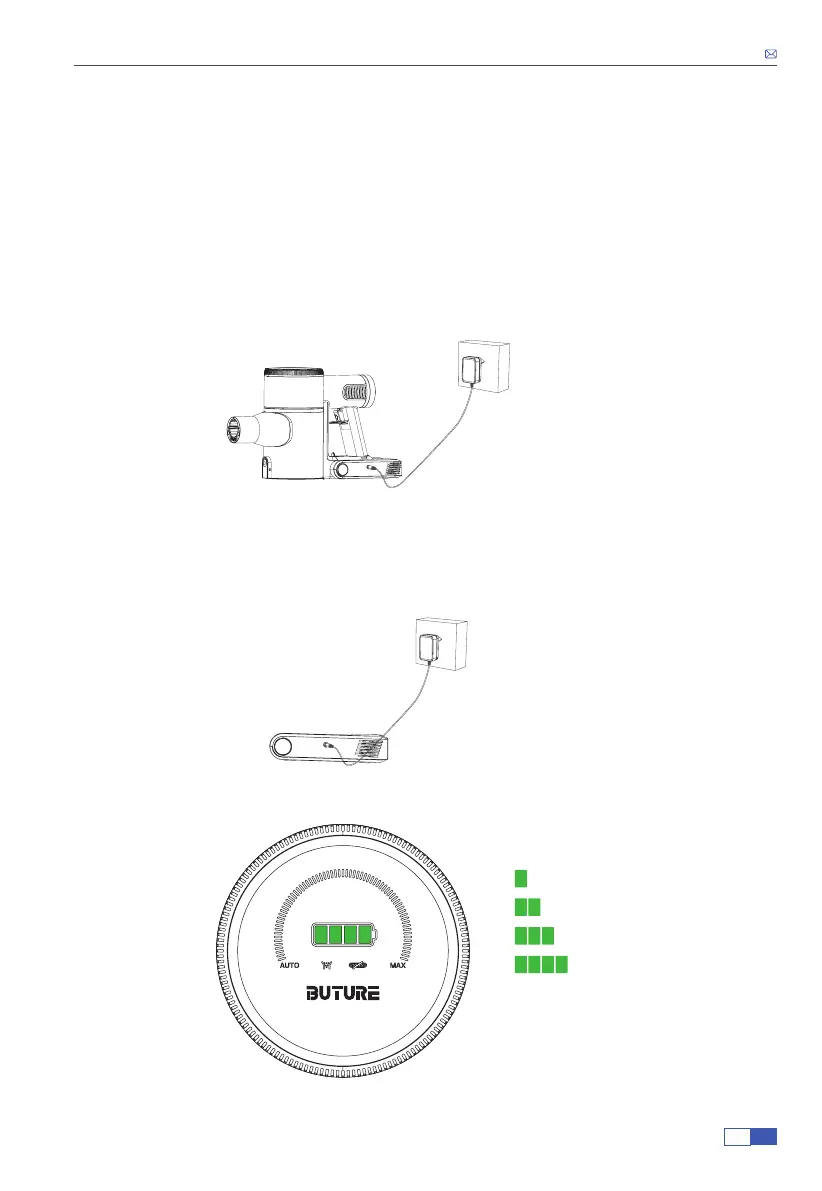
1. The battery is installed on the vacuum cleaner. Plug the adapter to charge.
2. The battery could be charged separately without installing it in the vacuum cleaner. Plug
the adapter to charge.
3. Battery Power Indicator
25%
50%
75%
100%
5.1 Two Charging Ways


 To Next Page