tech-support@ibuture.com
EN
10.
•
Select Cleaning Mode
①
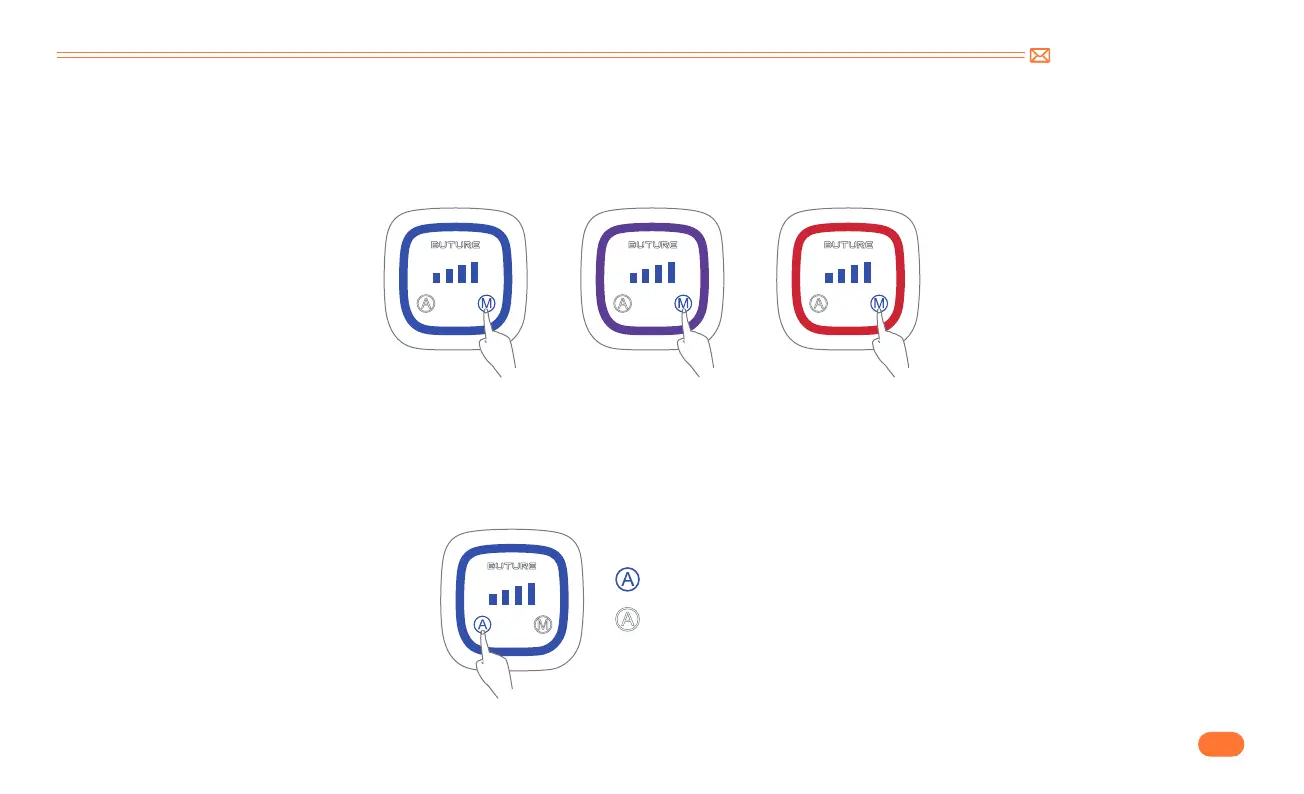
MANUAL Mode
②
AUTO Mode
MIN Mode MID Mode MAX Mode
Press the "A" button to switch to AUTO mode.
In AUTO mode, the Automatic Load Sensor system automatically changes the motor speed and suction level between carpets and hard floors for energy-
efficient powerful cleaning.
Touch the “M” on the display screen to switch between three suction gears of MIN-MID-MAX. The corresponding indicator of suction level is: MIN= blue,
MID= purple, MAX= red.
Blue Light : AUTO mode on
White Light : AUTO mode of


 To Next Page