tech-support@ibuture.com
EN
13.
②
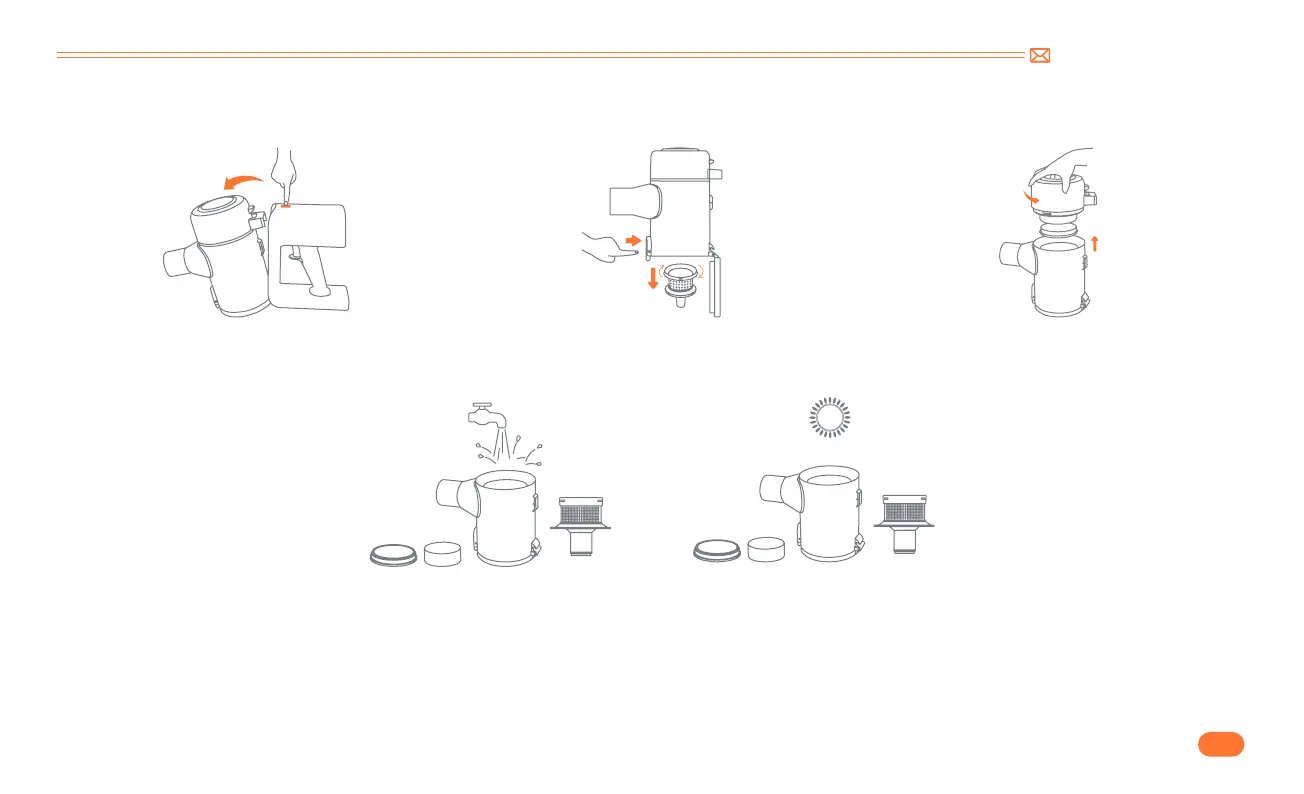
Remove Dust Cup and Filters
③
Clean and install dust cup/Filters
•
Remove dust cup from main body.
•
Clean dust cup and filters with water. Make sure that the dust cup and filters have dried before use.
1. Twist the stainless steel filter counterclockwise and put it into the dust cup.
2. Put in a sponge strainer.
3. Plug the HEPA filter into the motor.
4. Twist the dust cup clockwise to connect it to the motor.
•
Installation steps:
•
Rotate clockwise to remove the stainless
steel filter.
•
Remove HEPA filter from main body.


 To Next Page