Broadcastvision Entertainment
Toll Free: 888-330-4BVE(4283) www.broadcastvision.com
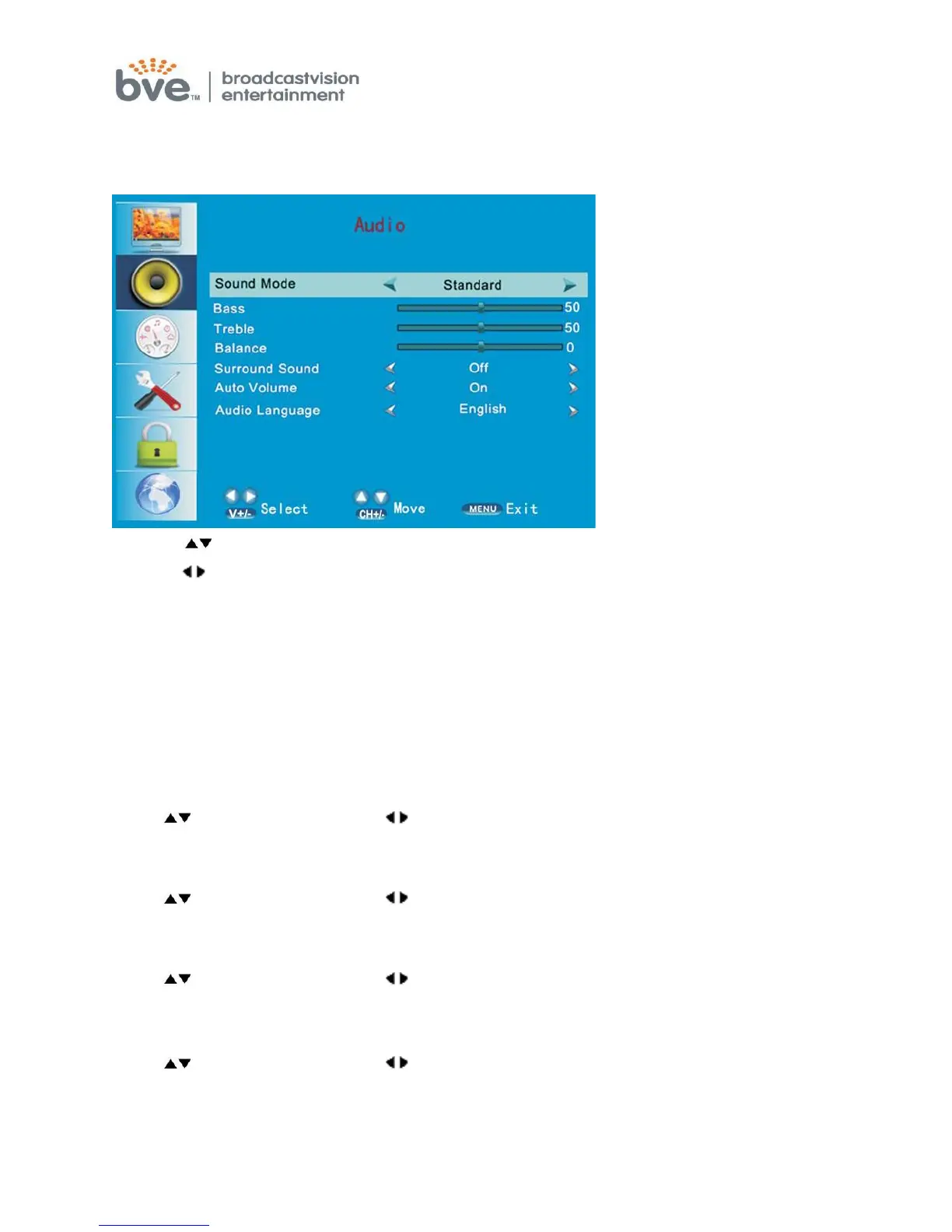
SOUND MENU
The second item of the menu is the SOUND MENU
1. Press buttons to move the cursor to the item to be selected.
2. Press button to adjust.
3. When you are satisfied with your adjustments, press the MENU or EXIT to exit
the main menu.
Sound Mode
You can select the type of sound which best corresponds to your listening
preferences
by selecting Sound in the sound menu. Press the OK button to select one of the
modes such as Standard/Music/Movie/User.
Bass
Press buttons and then use button to increase or decrease the level of the
bass response.
Treble
Press buttons and then use buttons to increase or decrease the level of the
treble sounds.
Balance
Press buttons and then use buttons to adjust the audio output level between
left and right speakers.
Surround Sound
Press buttons and then use buttons to select surround ON or OFF.
Auto Volume
Press ENTER to set or cancel. When AVL is set on, it will limit the channel changes.
Usually be enabled at night.



 To Next Page