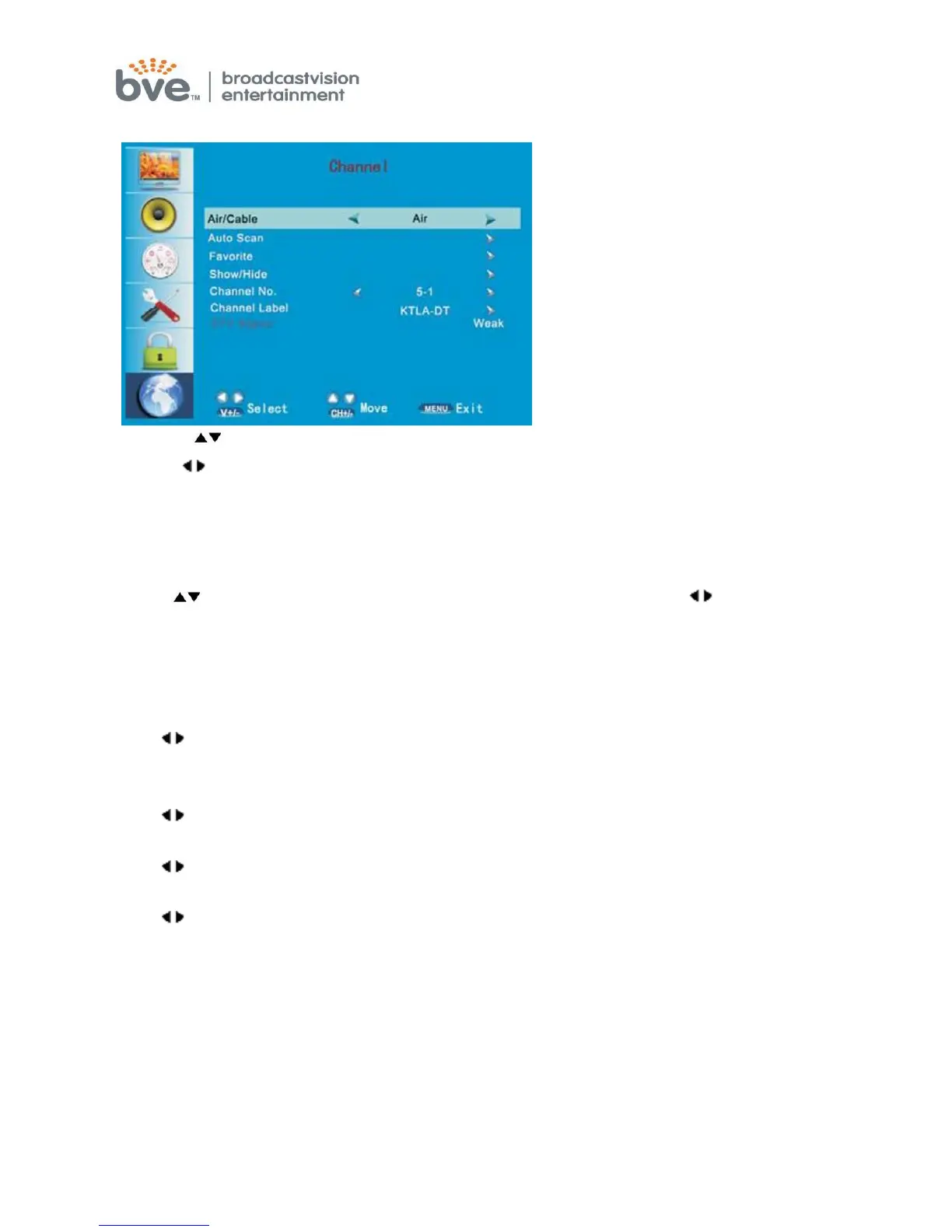
Channel Menu
1. Press buttons to move the cursor to the item to be selected.
2. Press buttons to adjust.
3. When you are satisfied with your adjustments, press the MENU to exit the
main menu.
Air/Cable
Press buttons to move the cursor to select Air/Cable mode and buttons
to select air or cable mode.
Auto Scan
Press menu button to start search DTV or ATV program automatically from V-L to
UFH, the searched program will be stored orderly.
Favorite
Press buttons to enter Favorite mode and Channel NO., Channel name, Favorite
menu item would occur and press OK button to set.
Show/Hide
Press buttons to enter Show/Hide mode.
Channel NO.
Press buttons to enter Channel No. mode and select the Channel No. wanted.
Channel Label
Press buttons to enter submenu and you can edit the channel label inside it.
DTV Signal
This item will show how current DTV signal strength.
Note:
If the set is cold, there may be a small "flicker" when the set is switched on. It is
normal. There is nothing wrong with the set.
Some dot defects may appear on the screen ,like red. green or blue.
Spots, however, this will have no impact or effect on the monitor
performance.
Do not press the LCD screen with your finger for a long time as it may incur some



 To Next Page