Broadcastvision Entertainment
Toll Free: 888-330-4BVE(4283) www.broadcastvision.com
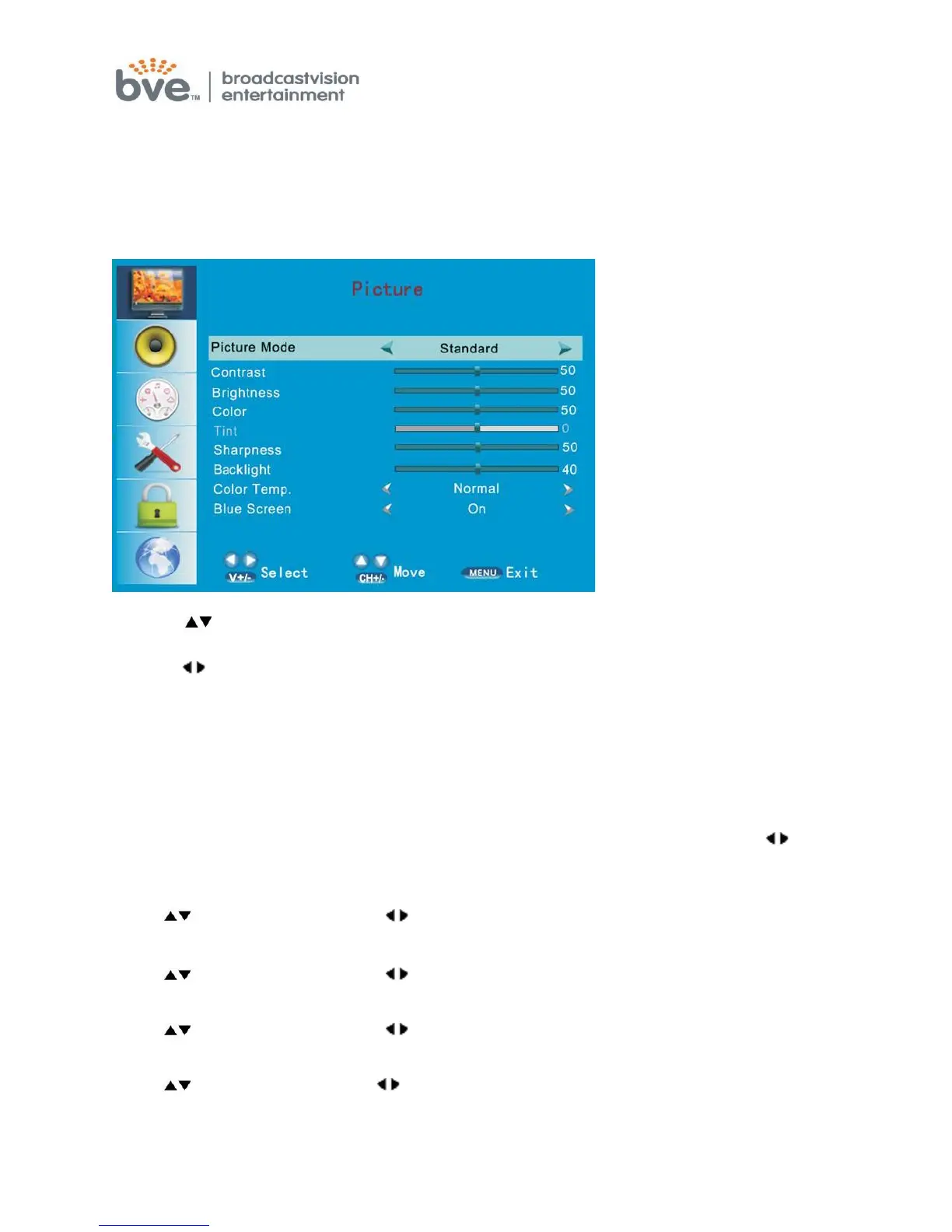
PICTURE MENU
This first item of the menu is the PICTURE menu
You can adjust the following, such as PICTURE MODE, CONTRAST, BRIGHTNESS,
COLOR, TINT, SHARPRESS and ADVANCED VIDEO.
1. Press buttons to move the cursor to the item to be selected.
2. Press buttons to make the desired adjustments.
3. When you are satisfied with your adjustments, press MENU or EXIT to exit the main
menu.
Picture Mode
Select the type of picture that best corresponds to your viewing requirements by
selecting Picture Mode in the PICTURE menu. Press the OK button and press to
select the picture mode such as Standard/Sports/Theater/Custom/Vivid mode.
Contrast
Press buttons and then use to adjust the contrast of the picture.
Brightness
Press buttons and then use to adjust the brightness of the picture.
Color
Press buttons and then use to adjust the color saturation.
T int
Press button and then use to adjust the tint of picture.
But this function is available in the NTSC that is one of the color systems



 To Next Page