- 28 -
• Press one time button (minutes will blink)
• Set minutes with or .
• Press one time button to confirm.
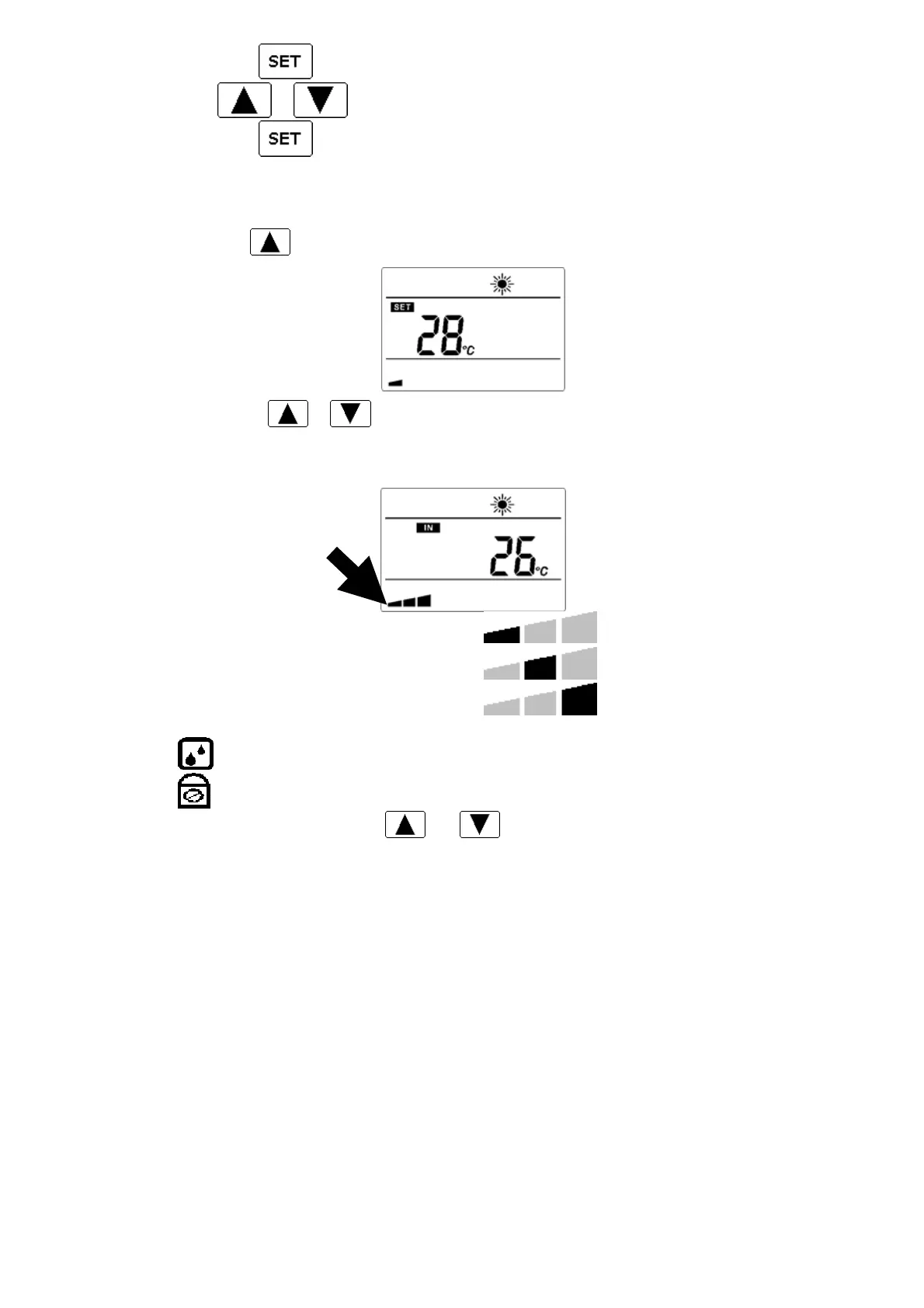
Water temperature setting
Start the machine and choose the desired mode (see precedent instructions).
When pressing this button the display will indicate “SET” and the desired water temperature.
Adjust the desired value with or and wait a few seconds till it is stored automatically.
Working information
3 symbols at the left bottom corner indicate the working information:
• First symbol indicate the water flow:
• Second indicate the fan:
• Third indicate the compressor:
During the start-time delay the corresponding symbol will blink.
• Symbol indicates that the machine is defrosting.
•
Symbol indicates that the keyboard is locked.
To lock or unlock the keyboard press and simultaneously during several seconds.



 To Next Page