- 27 -
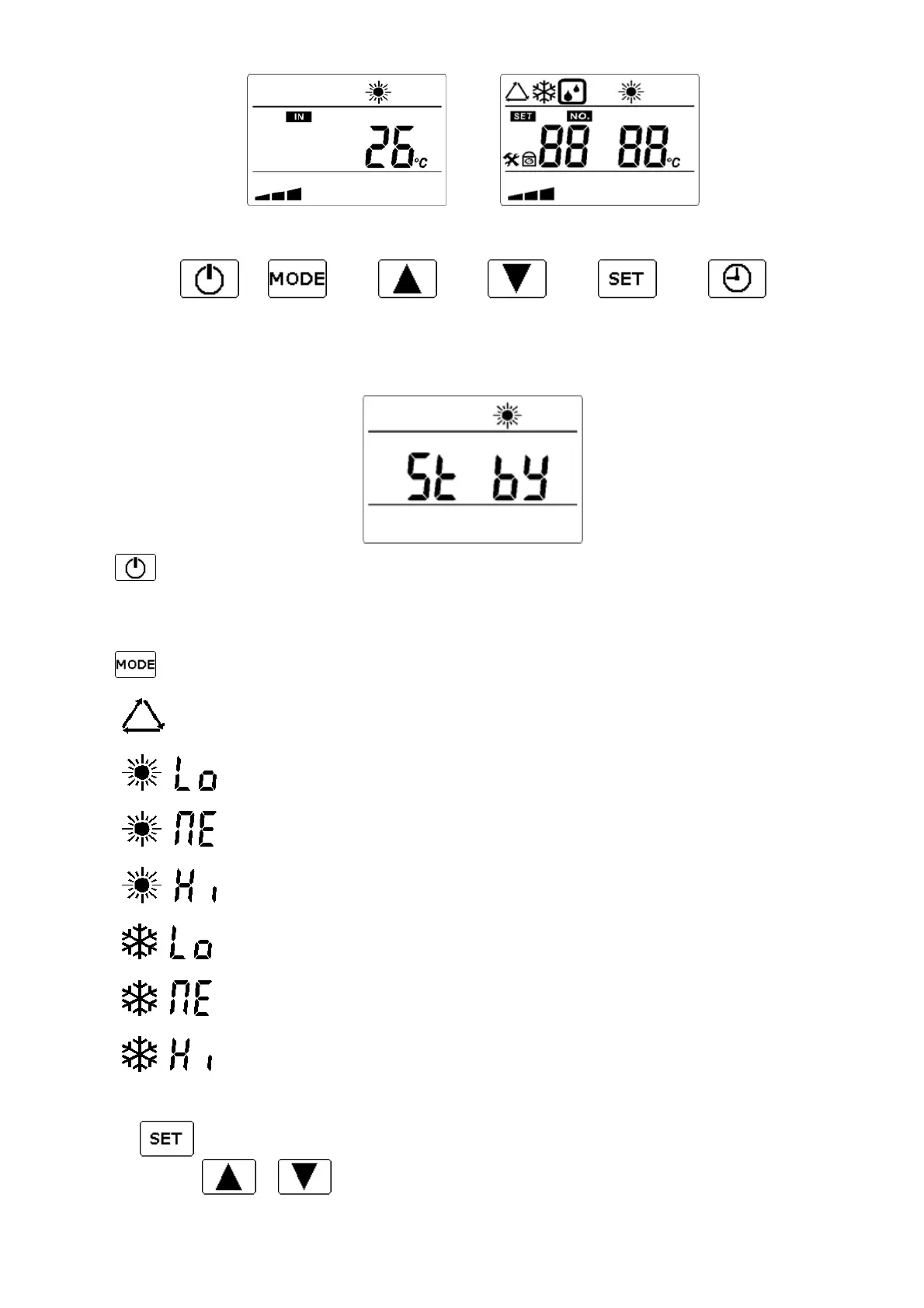
Regulation (digital controller)
Buttons below the display
ON/OFF
When you switch OFF the machine on the controller, the display will indicate « Stand-by »
Button serves to start/stop the heat pump.
After stopping the machine with this button, it can take a few minutes till the machine comes to a complete hold.
Working modes
Button serves to change the working mode.
By pressing this button, the icon corresponding to the selected mode will appear:
• “Smart” heating and cooling mode: machine manage it’s power for best efficiency.
Heats the water up to the desired value (+/– 1°C)*.
• + “Eco” Heating mode: the machine manage its power and keep low noise / low speed
Heats the water up to the desired value (+/– 1°C)*.
• + “Smart” Heating mode: machine manage it’s power for best efficiency.
Heats the water up to the desired value (+/– 1°C)*.
• + “Boost” Heating mode: the machine manage its power and keep high power.
Heats the water up to the desired value (+/– 1°C)*.
• + “Eco” Cooling mode: the machine manage its power and keep low noise / low speed
Heats the water up to the desired value (+/– 1°C)*.
• + “Smart” Cooling mode: machine manage it’s power for best efficiency.
Heats the water up to the desired value (+/– 1°C)*.
• + “Boost” Cooling mode: the machine manage its power and keep high power.
Cools the water down to the desired value (+/– 1°C)*.
Time setting
• Keep key pressed for 3 seconds (hours will blink)
• Set hours with or .
Normal display in heating mode



 To Next Page