EN
43
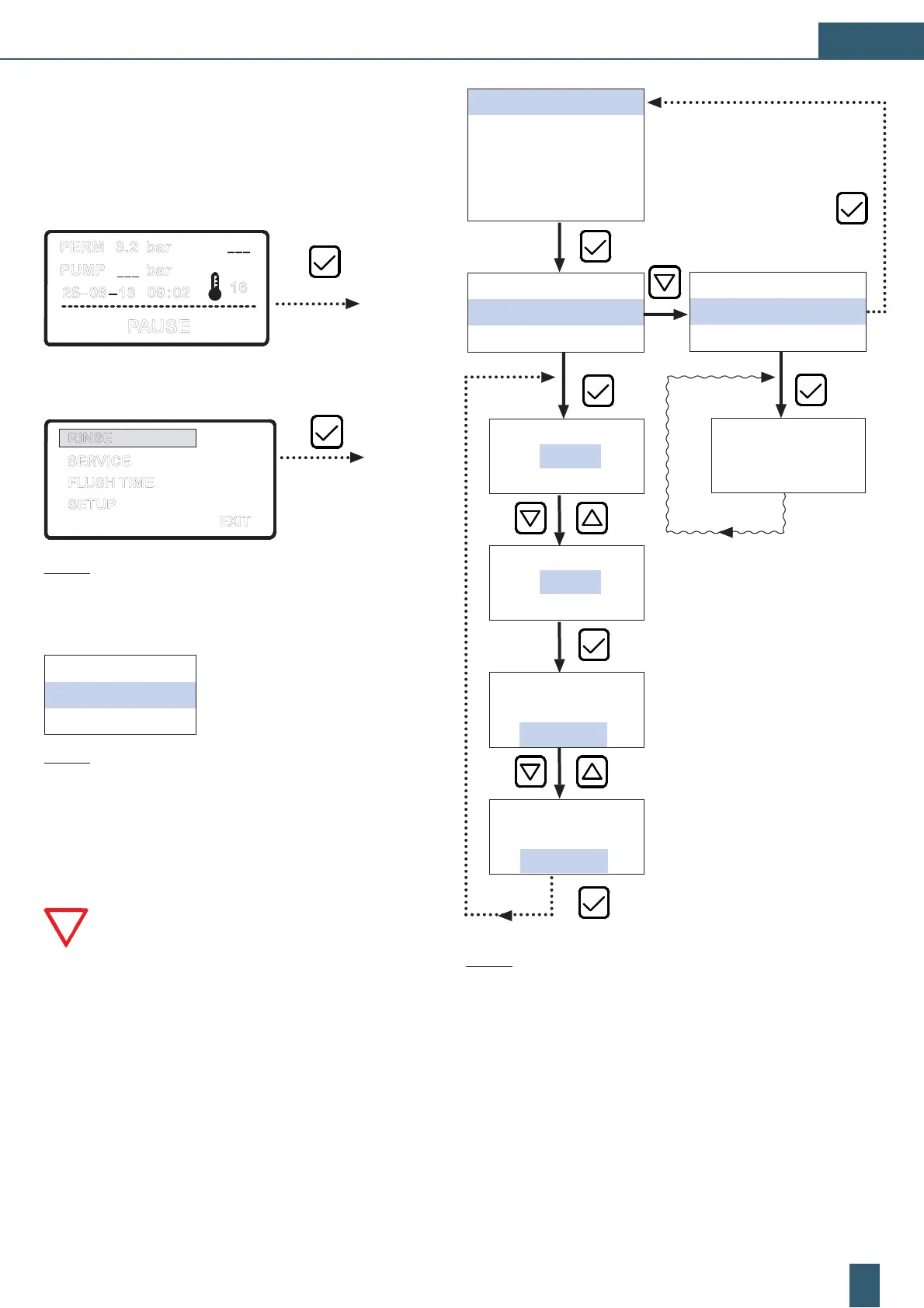
Fig. 19: Programming procedure: “RINSE“
RINSE
SERVICE
SETUP
STOP DELAY
EXIT
START RINSING
BACK
6 : 30
DISABLE
2 : 00
DISABLE
2 : 00
DISABLE
SET RINSE TIME
2 : 00
ENABLE
START RINSING
BACK
rinsing
3.8.3 Menu: AUTO RINSE
' Press the arrow keys to call up the detailed overview screen.
D Select the detail item “PAUSE“ and confirm with [] button to
shift into the programming menu.
PERM 3.2 bar
PUMP _ _ _ bar
25– 06 – 13 09 : 02
PAUSE
16
_ _ _
D The unit is in the selection menu at the menu item “RINSE“.
EXIT
SERVICE
FLUSH TIME
RINSE
SETUP
Fig. 17: Main selection menu: “RINSE“
The following operational parameters may be set in the
“RINSE“ selection menu Fig. 18:
START RINSING
Starts of the manual rinsing manually
BACK
Quit menu and back to selection menu
Fig. 18: Menu Level 1: “RINSE“
Automatic rinsing:
If the device is in READY mode, than it flush every 3 hours.
Manual rinsing:
ATTENTION: The manual flushing begins immediately
(analogue of internal time set).
The RO unit begins the rinsing immediately after the selec-
tion “START RINSING“. The hygienic flushing reduces the
risks of downtime contamination.


 To Next Page
 Loading...