EasyManua.ls Logo

C-MORE EA1-TCL-M - Information Menu

C-MORE EA1-TCL-M
179 pages
Print Icon
To Next Page IconTo Next Page
To Previous Page IconTo Previous Page
Loading...
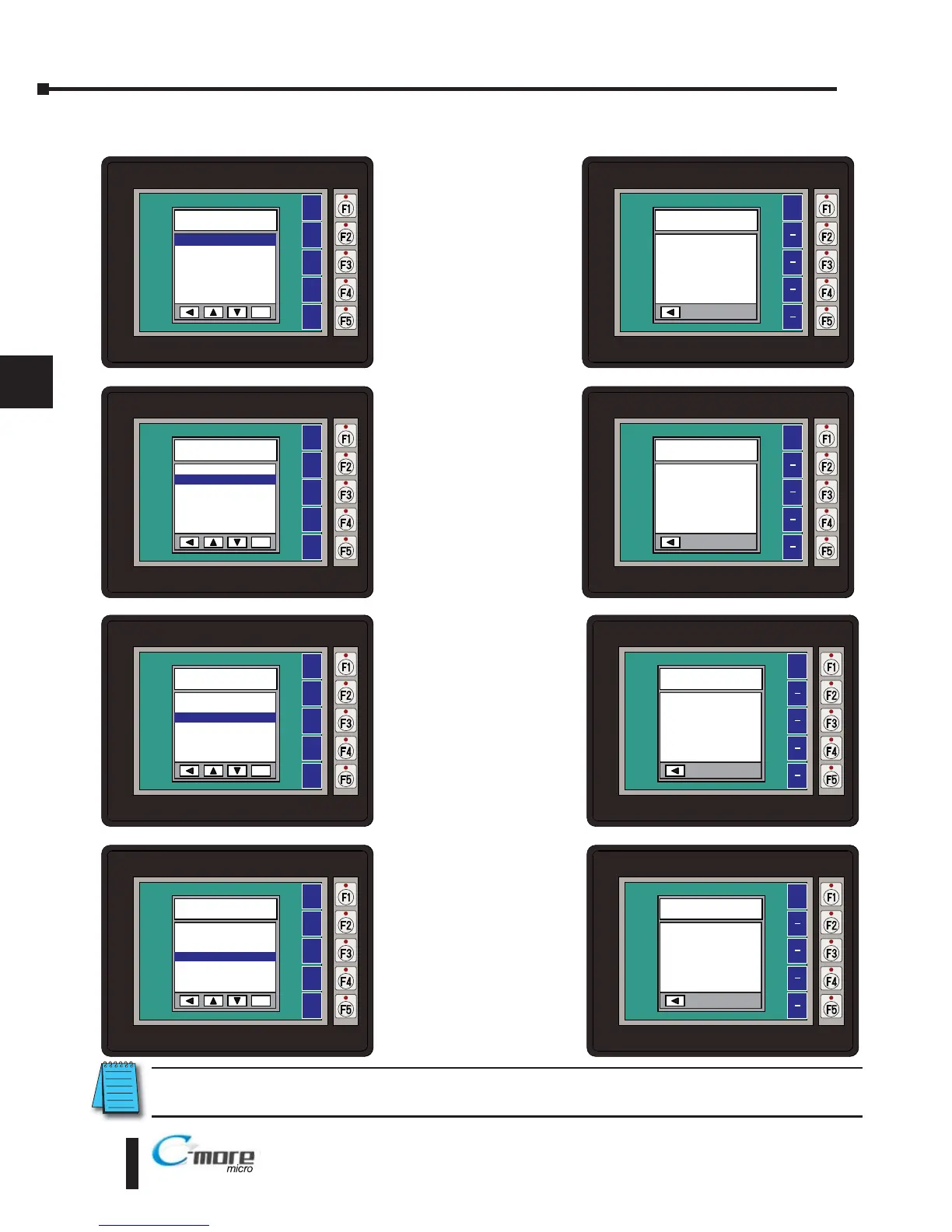
Information Menu
Pressing ENT [F5] with
Memory highlighted
will show the total
memory available,
memory usage and free
memory available for
the project.
Pressing ENT [F5] with
Protocol highlighted
will show the PLC
Protocol that has been
assigned to the panel
and the protocol
version.
Pressing ENT [F5] with
Extensions highlighted
will show if an optional
keypad bezel is installed
on the panel. The
example here shows the
EA-MG6-BZ2.
Pressing ENT [F5] with
Versions highlighted will
show the panel’s firmware
and boot loader versions.*
NOTE: Software and Firmware Version 2.5 or later is required with models EA1-T6CL. Available for free
download at www.automationdirect.com.
5–6
Chapter 5: System Setup Screens
5

®
EA1-TCL-M Hardware User Manual, 1st Ed., 12/09
ENT
BAK
UP
DWN
ENT
NXT
INFORMATION
1 Memory >
2 Protocol >
3 Extensions >
4 Versions >
ENT
BAK
UP
DWN
ENT
NXT
INFORMATION
1 Memory >
2 Protocol >
3 Extensions >
4 Versions >
ENT
BAK
UP
DWN
ENT
NXT
INFORMATION
1 Memory >
2 Protocol >
3 Extensions >
4 Versions >
ENT
BAK
UP
DWN
ENT
NXT
INFORMATION
1 Memory >
2 Protocol >
3 Extensions >
4 Versions >
BAK
Total
3276800 Bytes
Usage
0 Bytes
Free
3276800 Bytes
MEMORY
BAK
PROTOCOL
Protocol Type
K Sequence
Version 2 1 0 2
BAK
EXTENSIONS
Detected Devices
BZ2
BAK
VERSIONS
Firmware 2 50 0 0
Boot Loader V2 00

Table of Contents

Related product manuals