Coas
tal Amusements Inc. | Ring Toss
17
CAMERA CALIBRATION
The o
verhead camera used to detect the rings on the bottles may become misaligned during
shipping. We highly recommend recalibrating the camera after installing the game and
bef
ore game play.
T
o check calibration, do the following:
1. Enter the MAIN MENU (access buttons are located beneath the top lid of the console).
2. Select DIA
GNOSTICS.
3. Select CALIBRATE CAMERA.
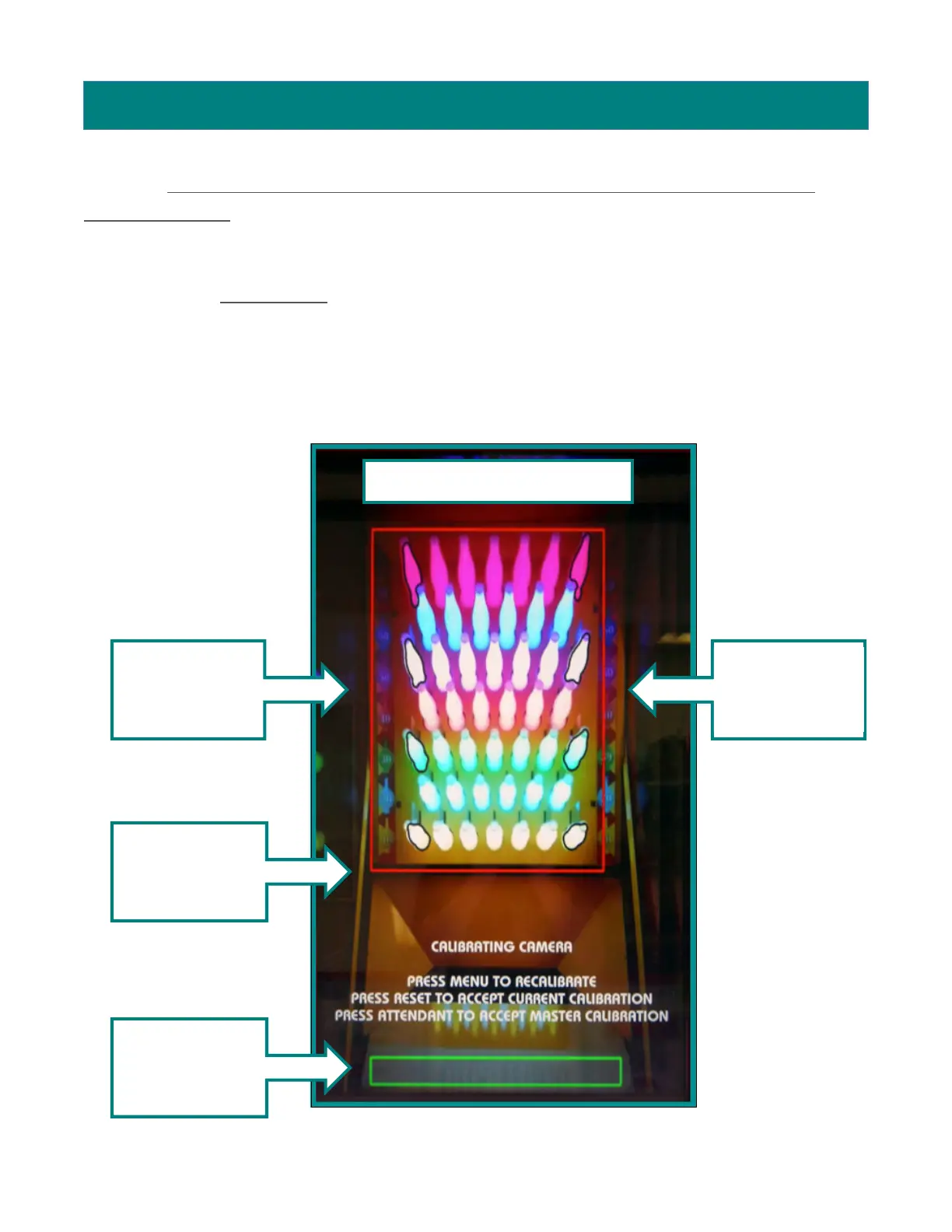
You will see a screen similar to the following:
All bottles are within the red
Bottle outlines
line up with
Bottle outlines
line up with
Line up r
ed line
with black T-
Green box
should be


 To Next Page