3. Place the same nger on the scanner for a second time, holding the nger in the
same position until there is 1 beep and the green light ashes once. Lift your
nger off the scanner.
4. Place the same nger on the scanner for a third time, holding the nger in the same
position until there is 2 beeps and the green light ashes twice. Lift your nger off
the scanner. Your ngerprint is now recorded.
5. If the red light ashes 3 times with 3 beeps, your ngerprint did not get recorded and
you will have to start over.
1. Place a recorded nger on the scanner. The green light ashes once with 1 beep.
The white light will come on and the scan will begin.
2. If the green light ashes twice with 2 beeps, the scan has been accepted and you
will have 5 seconds to turn the handle to open the door.
3. If the red light ashes once, the scanner did not read your ngerprint and you must
try again. If the red light ashes 3 times, the scanner read your ngerprint and did
not accept it.
NOTE: If 3 invalid ngerprint attempts are made in succession, the red light will ash 5
times with 5 beeps. And you will have an automatic lockout for 60 seconds before you
can try a scan again.
If 1 more invalid ngerprint attempt is made, the red light will ash 5 times with 5
beeps. And you will have an automatic lockout for 5 minutes before you can try a scan
again.
There will be 1 beep with the green light ashing once. This means the lockout period
is over.
UNLOCKING THE SAFE
BACK UP KEY
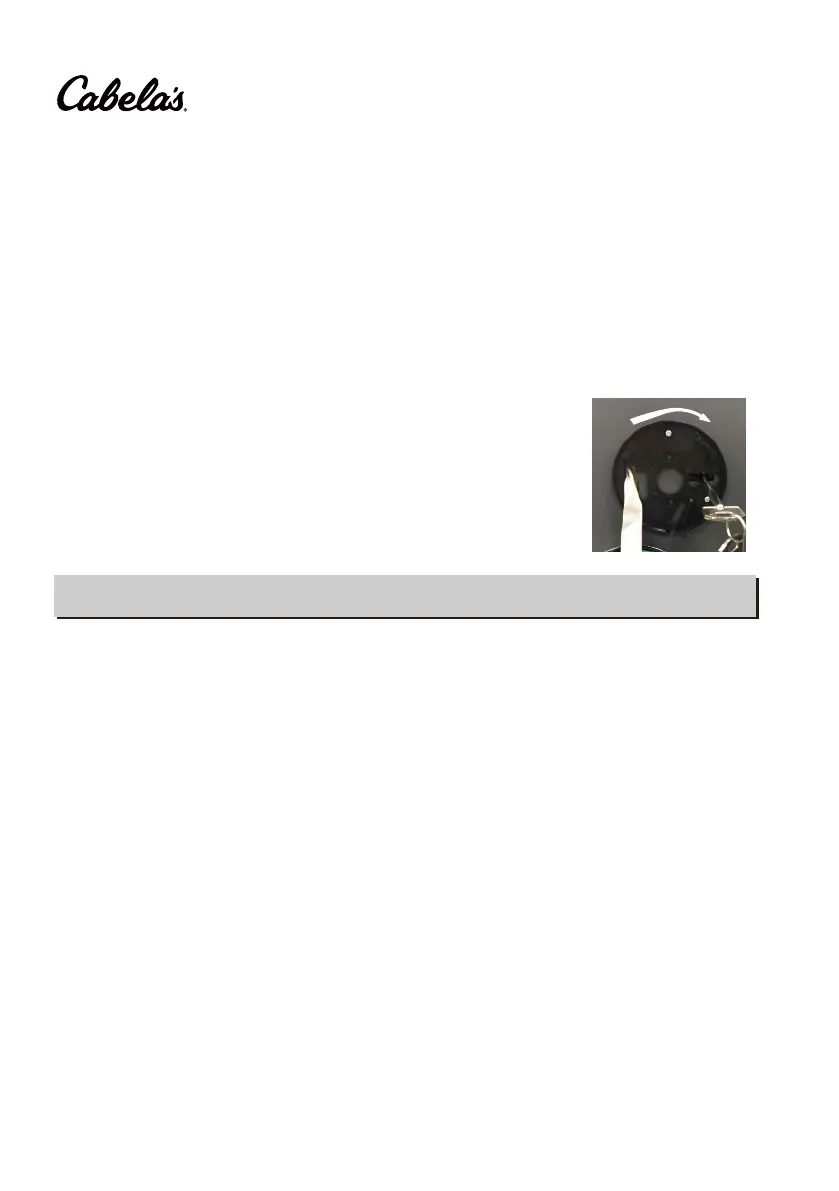
Remove the cover by pressing the tab and turning the cover
under battery installation. Insert the key in the key hole and
turn key ¼ turn (until stopped) to unlock the safe. Rotate the
handle and open the door.
3


 To Next Page