6
UKDEIE
Basic Functionality
Turn ON Vol+ and Vol- for 1 sec
Voice prompt: “Power on”
and “battery status”
Turn OFF Vol+ and Vol- for 1 sec
Voice prompt: “Power o”
Volume adjustment Vol+ or Vol- for 1 sec (or
keep pressed)
Pairing to a Phone/GPS
Start pairing on
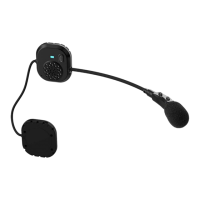
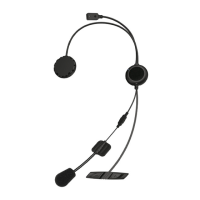
Caberg Pro
Speak
Evo
Unit is o
Vol+ for 5 sec
Red and Blue LED blink
alternate
Voice: “PAIRING when start,
“PAIRING successful” when
finish
Start pairing on
Bluetooth devices
(Phone/GPS)
Search for Bluetooth device
and select “Caberg Pro
Speak Evo” from the list
PIN (if requested) “0000”
How to use a phone
Answer call Vol+ short press when
ringing
End call Vol + short press
Reject call Vol + for 3 sec when ringing
Voice dial Vol - double click
Redial Vol + double click (voice
prompt:redial)
Cancel redial Vol + double click
Auto answer feature By default the “Auto answer”
is active, that means the
Caberg Pro
Speak Evo will
automatically answer to an
incoming call after 8 sec.
How to use a music player
Play/Pause music Vol + short press
FWD song Vol - double click
RWD song Vol + double click



 To Next Page