4
www.cablematters.com
4-Port USB 3.0 Switch with Remote Control
3. CONNECTION INSTRUCTIONS
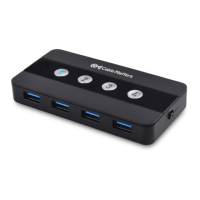
3.1 Panel Diagram
1. 4x Micro-B 3.0 ports for computers connection
2. 1x USB-C port for power
3. 4 Buttons on top for source switching, with blue LED light indicat-
ing a valid control
4. On/Off Switch
5. 4x USB-A ports for USB peripherals
Note: All cables to connect USB devices to the Switch are sold separately


 To Next Page
