11
7.3
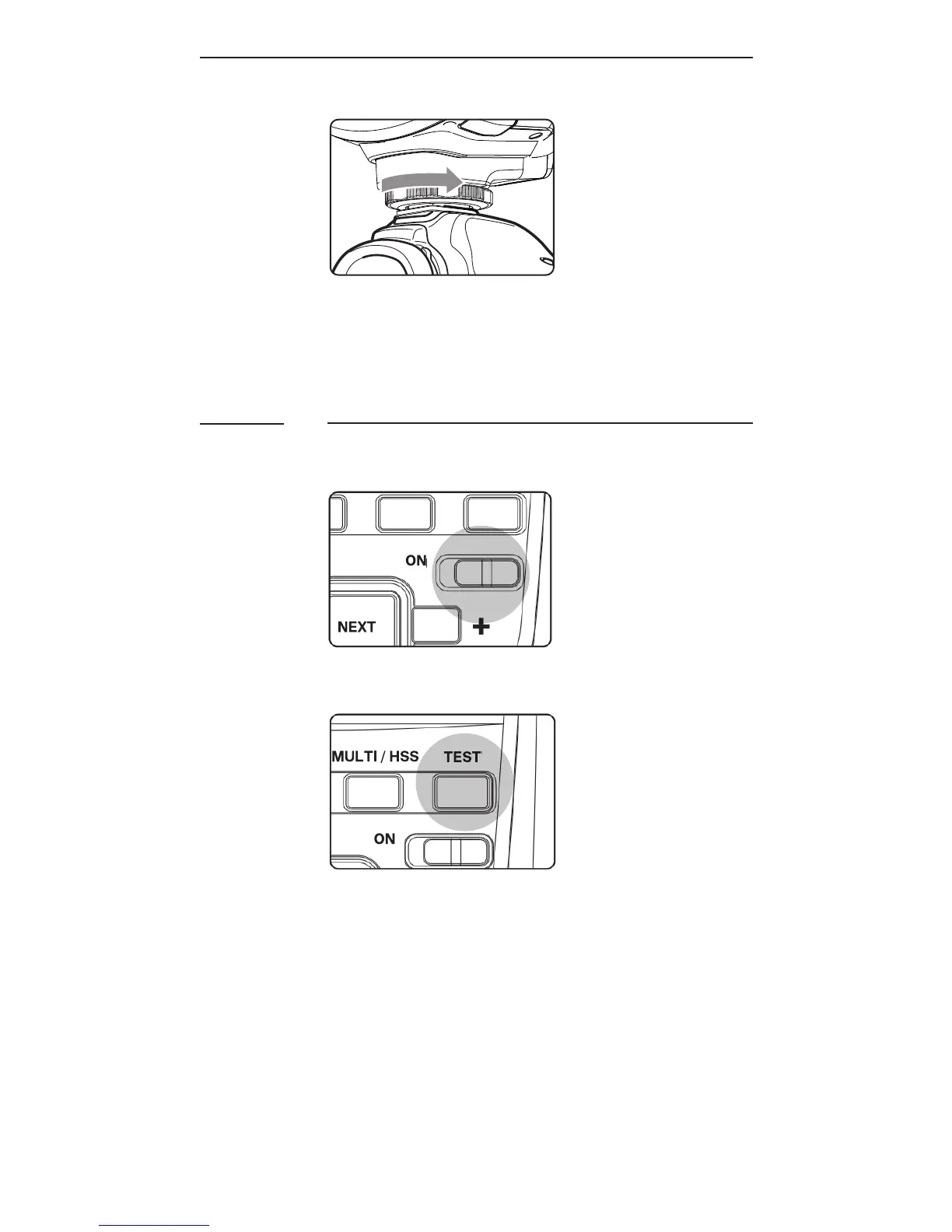
3. T o d et a c h th e a s h, r ot at e t h e
locking wheel on the mounting
foot to the right until it is
loosened.
Turning the Flash On
1. Switch the On/Off Switch to ON.
T h e a s h st a r ts c h a r g i n g.
2. C h e c k t h at t h e a s h i s r e a d y.
- T h e a s h -r e a d y i n d ic at or bli n k s
i n r e d, i n d ic ati n g th at t h e a s h
is r e a d y f or q u ick a s h (s e e
S e c ti o n 1 2.4).
- O n c e f u l l y c h a r g e d, t h e a s h -
ready indicator stays red and the
a s h is r e a d y to g iv e f u ll p o w er
output.



 To Next Page