Keys, Doors, and Windows 2-13
Delayed Locking
When this feature is enabled and
the doors are locked with the power
lock switch on the instrument panel,
three chimes sound to signal that
the delayed locking feature is in
use. All doors lock five seconds
after the last door is closed.
When the delayed locking feature
is in use, pressing
Q on the
instrument panel or
Q on the
RKE transmitter will override the
feature and lock all doors
immediately.
This feature can be programmed by
using the Driver Information Center
(DIC). See “Delayed Door Lock” in
Vehicle Personalization on
page 5‑40. The delayed locking
feature is only available if “Unlocked
Door Anti-Lockout” is disabled.
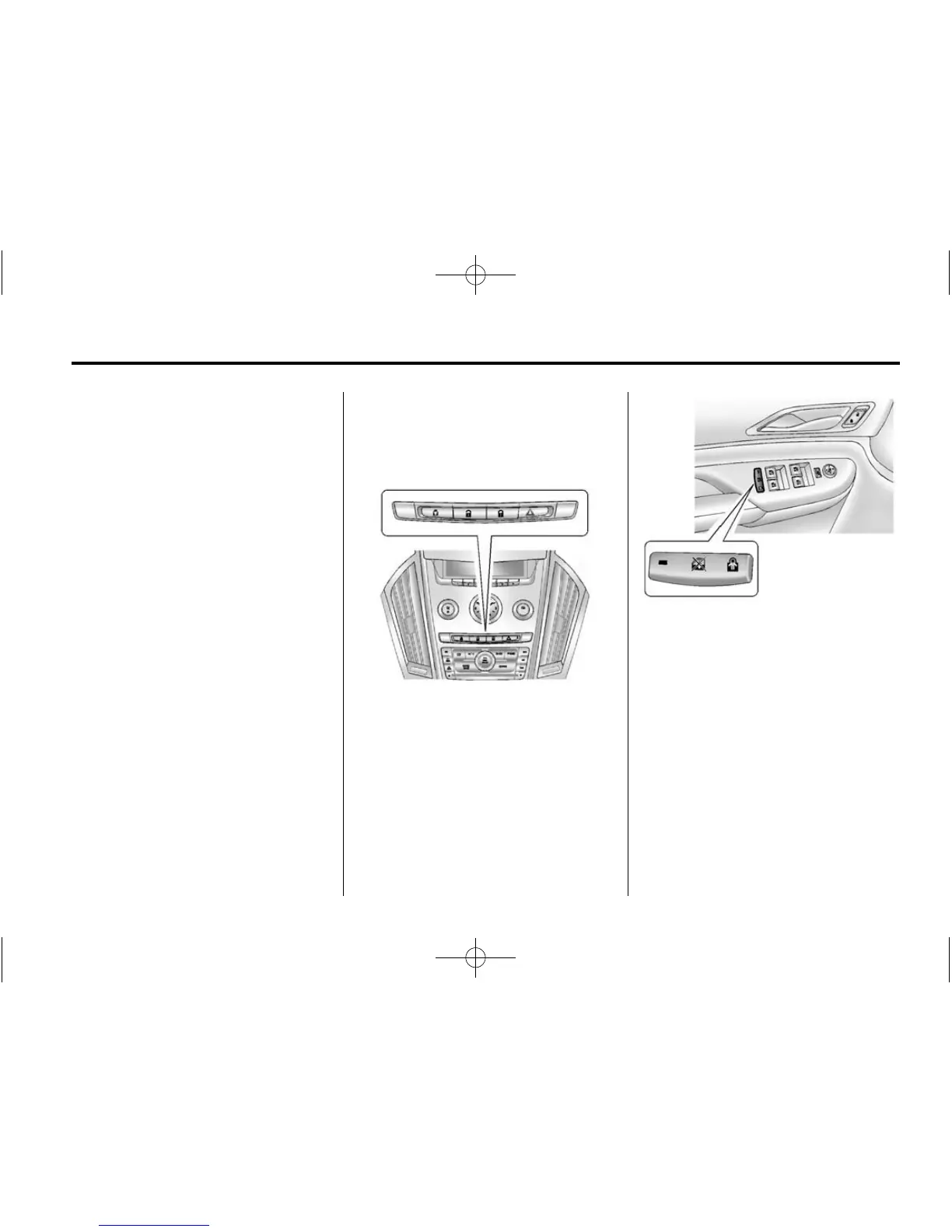
Safety Locks
Rear door safety locks prevent
passengers from opening the rear
doors from the inside.
Instrument Panel
Press
{ to activate the safety locks,
the LED light in the switch
illuminates.
Press
{ to deactivate the safety
locks.
Front Door Panels
Press
o { to activate the safety
locks. The rear window lockout will
also activate and the LED light in
the switch illuminates.
Press
o { to deactivate the safety
locks and the rear window lockout.
See Power Windows on page 2‑24
for more information about the rear
window lockout.














 To Next Page