Cadillac Escalade Owner Manual (GMNA-Localizing-U.S./Canada/Mexico-
13690472) - 2021 - CRC - 5/15/20
162 INFOTAINMENT SYSTEM
Finding a Channel
Seeking a Channel
From the SiriusXM active source page,
touch
S CH or CHT to seek for the
previous or next channel. Touch
H
to save the channel as a favorite.
Browsing Categories
Touch
( to show the following
categories:
.
For You
.
Music
.
Sports
.
News
.
Talk
Touching a category will show the
channels associated with that
category.
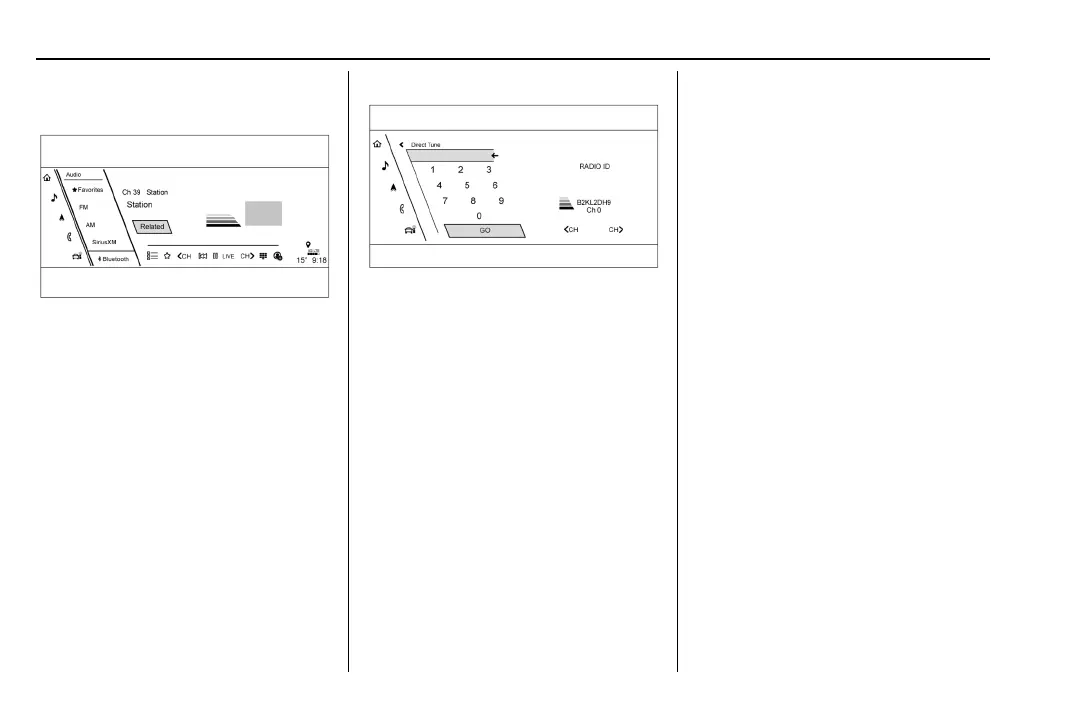
Direct Tune
Access Direct Tune by touching ) to
bring up the keypad. Navigate through
all channels using
S CH or CHT on
the Direct Tune display. Directly enter
a channel using the keypad and touch
GO. When a new channel is entered,
the information about that channel
displays on the right side. This
information will update with each new
channel. Touch
H to save the
channel as a favorite.
Favorites
From the active audio source page,
choose
q Favorites from the list at
the left side to display a list of audio
favorites.
Favorites are stored by touching
H.
This will highlight indicating that it is
now saved as a favorite.
User Settings
From the SiriusXM source main page,
touch
% to display the following:
.
Audio Settings
.
Listener Options
.
Account Information
Audio Settings
Touch
* to display the Audio
Settings menu. See “Audio Settings” in
AM-FM Radio 0 158.
Listener Options
Select and the following may display:
SiriusXM Favorites : Touch to show
XM favorite channels.
History : Touch to show histor y of
channels.
Listener Settings : Touch to hide
explicit language channels and
content, start songs at the beginning
when tuning a music channel, or reset
the listening history.















 To Next Page