Cadillac Escalade Owner Manual (GMNA-Localizing-U.S./Canada/Mexico-
13690472) - 2021 - CRC - 5/15/20
DRIVING AND OPERATING 261
If d comes on and stays on:
1. Stop the vehicle.
2. Turn the engine off and wait
15 seconds.
3. Start the engine.
Drive the vehicle. If
d comes on and
stays on, see your dealer as soon as
possible.
Turning the Systems Off and On
Caution
Do not repeatedly brake or
accelerate heavily when TCS is off.
The vehicle driveline could be
damaged.
To turn Traction (TSC) or Stability
(ESC) off and on, access the Traction
and Stability screen from the Vehicle
Information main screen in the
infotainment system. See Vehicle
Information 0 129 for instructions on
navigating and selecting items.
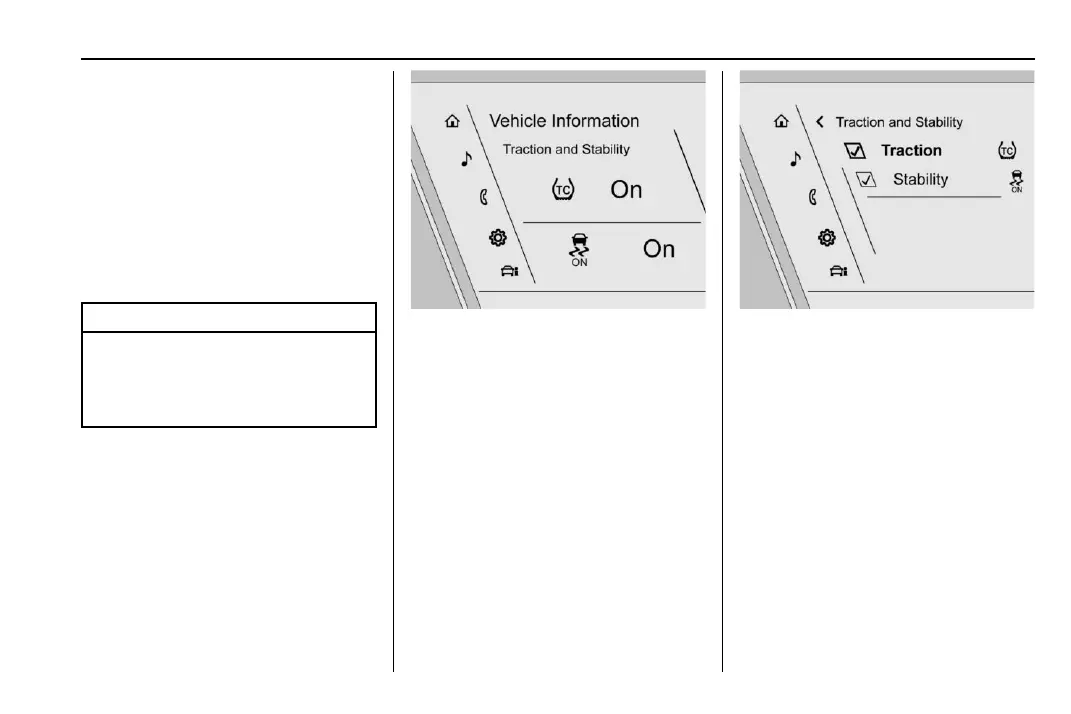
Traction and Stability Screen
The current status of each system is
displayed next to the Traction and
Stability icons. To turn either system
off or on, select or touch the Traction
and Stability screen to access the
Traction and Stability menu screen.
Traction and Stability Menu
To turn off TCS, select or touch the
Traction virtual button on the screen.
The traction off light
i displays in
the instrument cluster. See Traction
Off Light 0 122.
If TCS is limiting wheel spin when
disabled, the system will not turn off
until the wheels stop spinning.
To turn TCS back on, select or touch
the Traction virtual button on the
screen. The traction off light
i
displayed in the instrument cluster
will turn off.













 To Next Page