Cadillac SRX Owner Manual (Include Mex) - 2012
Vehicle Care 10-27
Wiper Blade Replacement
Windshield wiper blades should
be inspected for wear or cracking.
See Maintenance Schedule on
page 11�4 for more information.
It is a good idea to clean or replace
the wiper blade assembly on
aregularbasisorwhenworn.
For proper windshield wiper blade
length and type, see Maintenance
Replacement Parts on page 11�14.
Notice: Allowing the wiper arm
to touch the windshield when
no wiper blade is installed could
damage the windshield. Any
damage that occurs would not be
covered by your warranty. Do not
allow the wiper arm to touch the
windshield.
Front Wiper Blade
Replacement
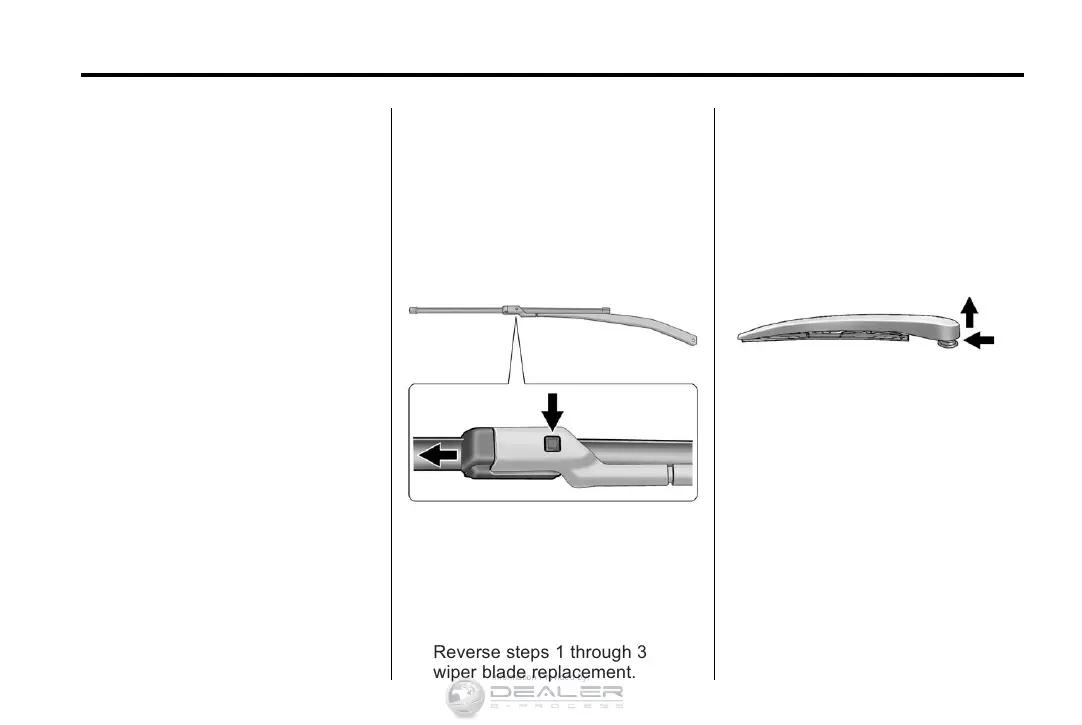
To repl a ce the wiper bl ade
assembly:
1. Pull the windshield wiper
assembly away from the
windshield.
2. Press the button in the middle
of the wiper arm connector, and
pull the wiper blade away from
the arm connector.
3. Remove the wiper blade.
4. Reverse steps 1 through 3 for
wiper blade replacement.
Rear Wiper Blade Replacement
The rear wiper blade and wiper
arm have a cover for protection.
The cover must be removed before
the wiper blade can be replaced.
To remo v e the cover:
1. Slide a plastic tool under cover
and push upward to unsnap.
2. Slide cover towards wiper
blade tip to unhook from
blade assembly.
3. Remove the cover.
4. After wiper blade replacement,
ensure that cover hook slides
into slot in blade assembly.
5. Snap cover down to secure.














 To Next Page