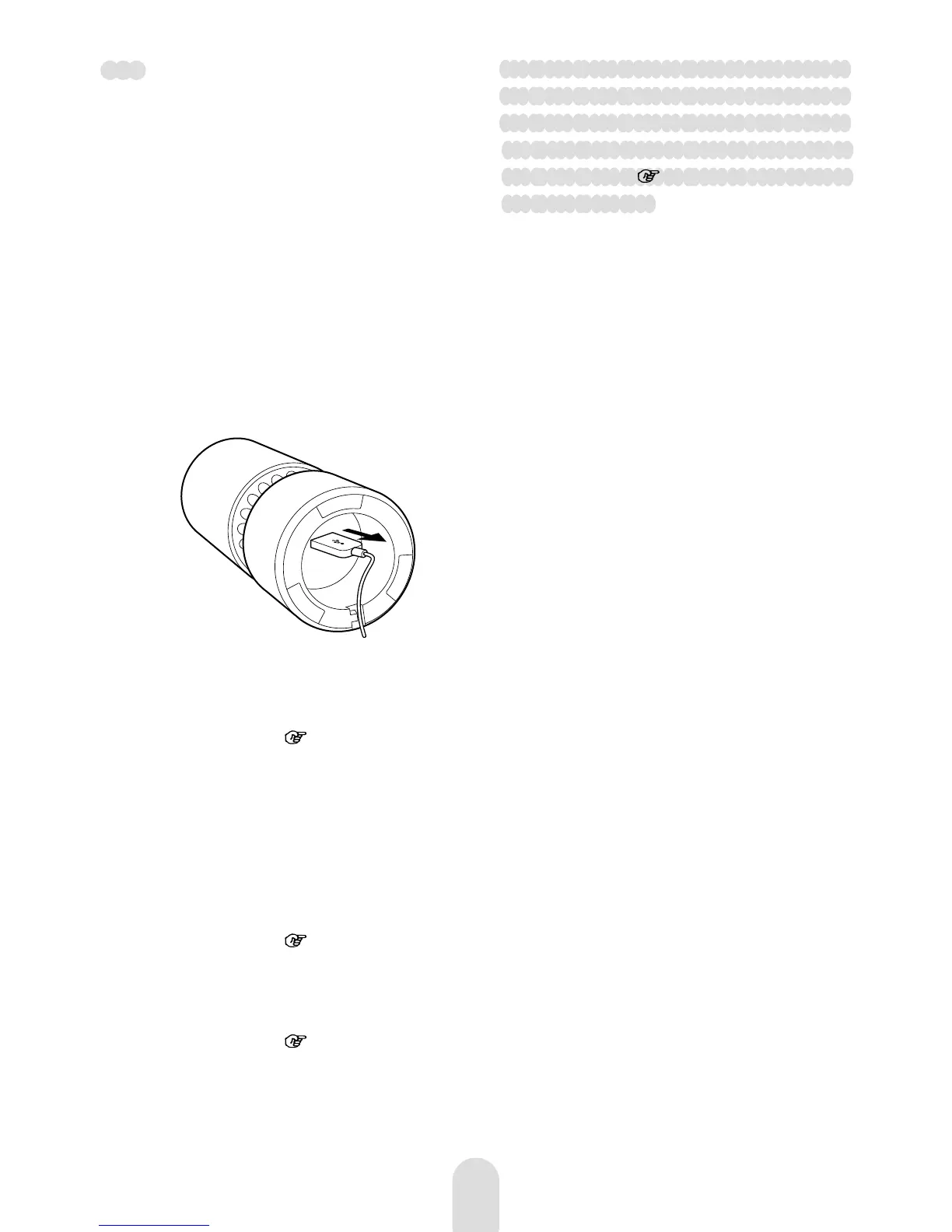
Pull out the in-vehicle charger.
Unplug the USB cord from the
connector on the bottom of the
unit.
Remove the enclosure.
See step 1 in “Installing the
Deodorizing/Dust Collecting/Anti-
Bacterial Filter” (
page 7).
Remove the old filter.
Install the new filter.
Take out the new filter from the
polythene bag then install the filter
on the enclosure. To install the filter,
refer to step 2-3 in “Installing the
Deodorizing/Dust Collecting/Anti-
Bacterial Filter” (
page 7).
Attach the enclosure.
See the step 4 in “Installing the
Deodorizing/Dust Collecting/Anti-
Bacterial Filter” (
page 7).
1
3
4
5
2
6
To purchase the deodorizing/dust
collecting/anti-bacterial filter (not
supplied) for replacement, refer
to the model name as detailed on
“Accessories” (
page 12), and consult
your local dealer.
Note
· Calculated based on the test method
of the JEM1467 in the Standards of
the Japan Electrical Manufacturers'
Association. Standard when operating
on rapid mode.
· When replacing the filter, make sure to
unplug the USB cord from the unit.



 To Next Page