Document type: Title: Revision date: Revision:
User's Manual (MUT) Mod. SY2527, Universal Multichannel Power Supply System 27/11/2000 0
NPO: Filename: Number of pages: Page:
00103/97:2527y.MUTx/00 SY2527USERMANUAL_REV0.DOC 84 71
7.2.1 Using the RS232 interface
The RS232 interface can be used to connect one SY2527 system to a VT100-like
terminal or to a standard PC running a terminal emulator program.
All installation requirements and instructions for the hardware set-up, including RS232
cable specifications and RS232 default settings, are given in the Hardware Installation
Guide (refer to the Hardware Installation and Set-up Section).
All the features of the User Interface Software are unchanged with respect to the
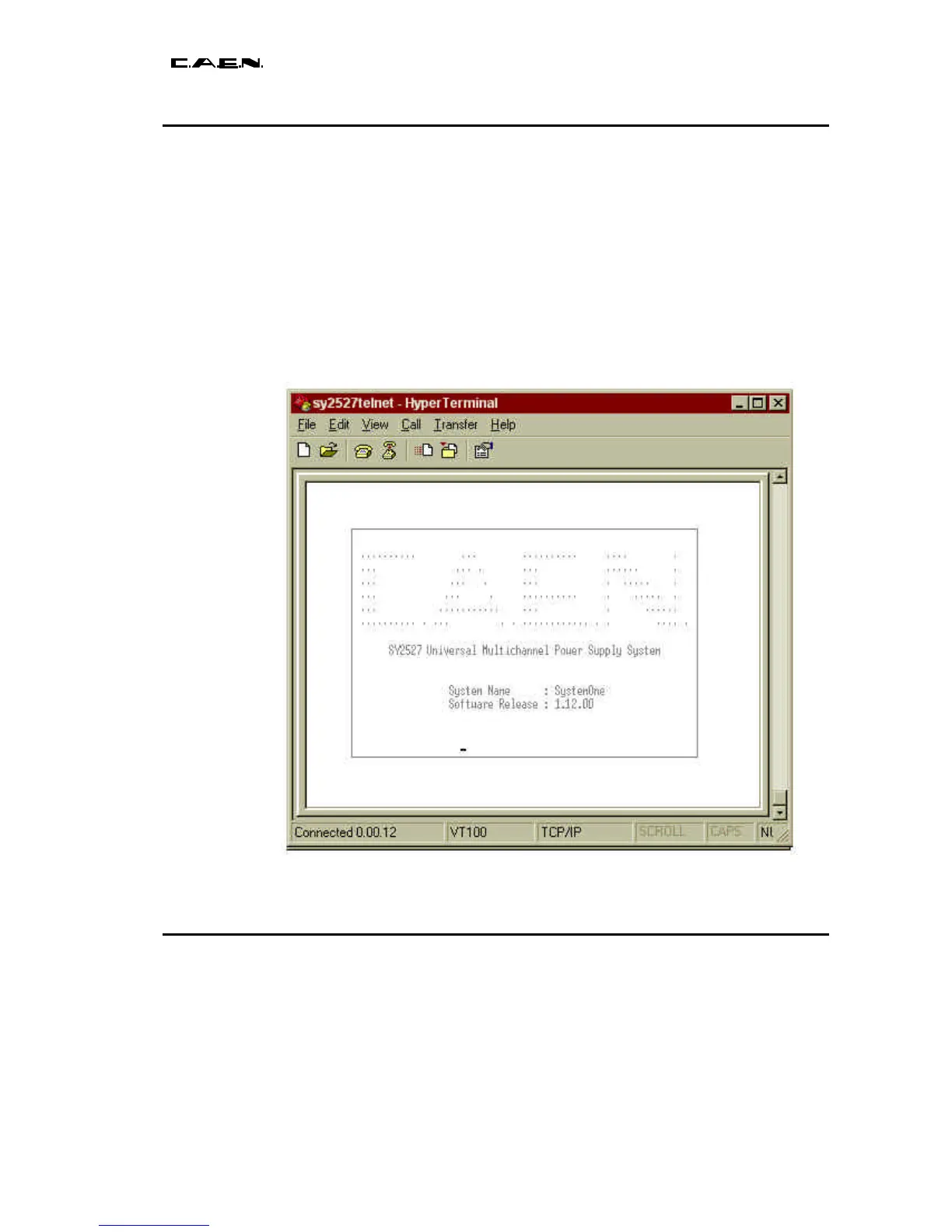
Standalone Operation, except for the Welcome Screen which is as shown in Fig. 7.23.
Please refer to this section for details on the menus available and the operating
instructions.
Fig. 7.23 – Welcome Screen in Terminal Operation
7.2.2 Using the H.S. CAENET (Multicrate Operation)
The H.S. CAENET interface can be used to connect one or more SY2527 systems in a
daisy-chain configuration and then control them from a single site. It is also possible to
connect to the daisy-chain a SY527 system or a SY127 system using the H.S. CAENET
interface.
The control of the chain can be performed in the following ways:


 To Next Page