19
Troubleshooting
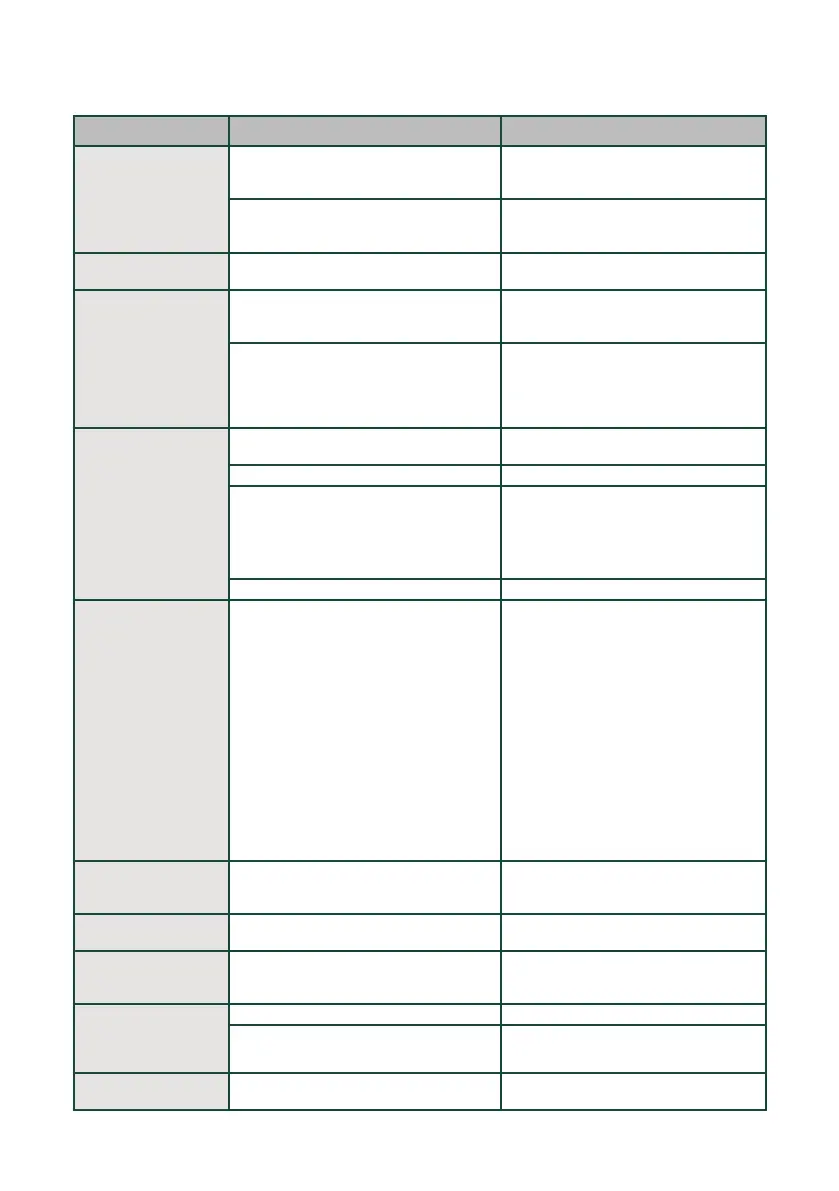
Problem Cause Solution
"Add/Stir Coee Beans"
indicator on but hopper
still contains lots of
coee beans.
Internal coffee outlet is blocked. Clean the coffee grinder shoot. Refer
to the "Cleaning the Coffee Brewer and
Service Area" on page 15.
Beans are too oily and do not slide freely
into the grinder.
Stir the beans in the container to allow
them to slide down and avoid using oily
beans if possible.
Grinder is making a
very loud sharp noise.
There are foreign objects in the grinder. Stop operations and call service.
Appliance disposes of
unused coee grounds
without brewing coee.
The function was canceled before
completing or power outage during brew
cycle.
Bean container is empty and grind amount
did not meet standards for good strength
espresso. The shot was disposed. Oily
beans can also get stuck and result in
insucient grounds.
Refill coee bean container.
Coee dispensed is
watery.
Commonly occurs on first brewing cycle. Optimize the coffee extraction with the
next brew.
Coffee brewer is dirty. Remove the coffee brewer and clean.
Grinder setting is too coarse. ■ Adjust coffee bean grind size to
a smaller setting during grinding
operation.
■ Go to the SmartHQ app and adjust
coffee settings.
Low on coee beans. Refill coffee bean container.
Coee Brewer cannot
be removed.
Coee brewer not in neutral position. ■ Machine is still in function mode,
wait until function is complete before
removing, Replace service door to
ensure continuous function.
■ If appliance is not running, ensure all
parts are in place, and press the ON/
OFF button to turn the appliance OFF.
Wait until you hear no more sounds
and press the ON/OFF button to turn
the appliance back ON. Open the
service door to try and remove again.
Remove the coffee brewer and clean.
NOTE: If coffee brewer has not
returned to neutral position, call service
(1-800-GECARES).
Disposal Drawer
cannot be removed.
Disposal Drawer can only be removed
when the appliance is not mid-function.
Turn o the machine or wait until current
function is complete before attempting to
remove the disposal drawer.
Internal drip tray is
filled with water
The coee grounds are too fine. Adjust the coee grinder so the grounds
are larger.
No steam or hot water
is coming out of the
steam wand.
The hole in the spout is clogged. Stop the cycle, unplug the machine, clear
the steam wand spout using the cleaning
tool as directed.
Steam or hot water
have stopped
dispensing
mid-process.
Water tank is empty. Refill the water tank to continue process.
The function was cancelled early. Restart the function.
Poor crema formation
and weak espresso.
High altitude aects boiling point and
extraction.
Adjustments may be made using the
SmartHQ app for high altitude settings.


 To Next Page
 Loading...