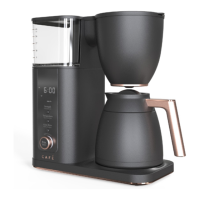
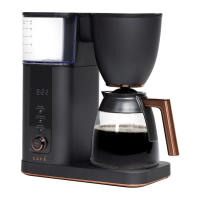
Need help?
Do you have a question about the Cafe C7CGAAS4TW3 and is the answer not in the manual?
Essential safety precautions for operating electrical appliances, including handling the plug and avoiding hot surfaces.
Overview of Power, Brew, and Grind Off buttons for basic operation and grinding.
Adjusting temperature, strength, and volume settings for brewing coffee.
Setting the clock and programming delay brew times.
Essential steps for initial setup and preparation before brewing.
Step-by-step guide to install the water filter for optimal coffee maker performance.
Instructions on how to properly fill the bean hopper with coffee beans.
Guide on how to correctly fill the water reservoir with water.
Guidance on selecting coffee beans based on roast preference.
Information on choosing the optimal brewing temperature.
Recommendations for grind size for optimal coffee extraction.
Guidance on selecting desired brew strength (Light, Medium, Bold, Gold).
Steps to initiate the brewing process and stages displayed.
How to save preferred brew settings using the SmartHQ app.
How to select and adjust coffee brew strength.
Guide to selecting the correct grind size for brewing.
How to adjust the brew temperature and switch between Fahrenheit and Celsius.
Instructions for setting brew volume in Carafe and Single Serve modes.
How to schedule a brew for a future time and cancel it.
Instructions for bypassing the grinder for pre-ground coffee.
Guide to connect the coffee maker to WiFi via the SmartHQ app.
Instructions for setting the current time on the appliance.
Explains the bloom function and how to customize it via the app.
How to set up recurring brew schedules using the mobile app.
How to clean the outside of the coffee maker with a soft cloth.
Instructions for cleaning the brew basket and mesh filter.
How to wash the carafe and lid to prevent staining and scratching.
Steps for cleaning the grinder chute and removable burr.
How to reset the water filter notification after replacement.
Guide to descaling the coffee maker to maintain performance.
Solutions for the 'Add Water' display message.
Reminders and solutions for the 'Basket Slider' alert.
Troubleshooting for the 'Empty Brew Basket' alert.
Solutions for the 'Check GRINDER' alert.
Troubleshooting for the 'Add Beans' detection message.
Steps to address the 'Water Filter' reminder.
Guidance for the 'Descale' reminder.
Solutions for the 'Check WATER' display message.
Troubleshooting for the grinder not operating during brewing.
Guidance for handling the 'ERROR' message.
 General
| Brand | Cafe |
|---|---|
| Model | C7CGAAS4TW3 |
| Category | Coffee Maker |
| Language | English |

 To Next Page