INNOVATION Total 1 Rev. 8 06/2013
INSTALLATION AND SERVICE MANUAL FOR INNOVATION Total 1 Bean-Cup Brewer
71
www.cafection.com (800) 561-6162
Annex
Annex 6 Touch screen calibration procedure
Touch screen calibration is needed every time the compact ash card is replaced or if a misbehavior
of the touch screen is noticed.
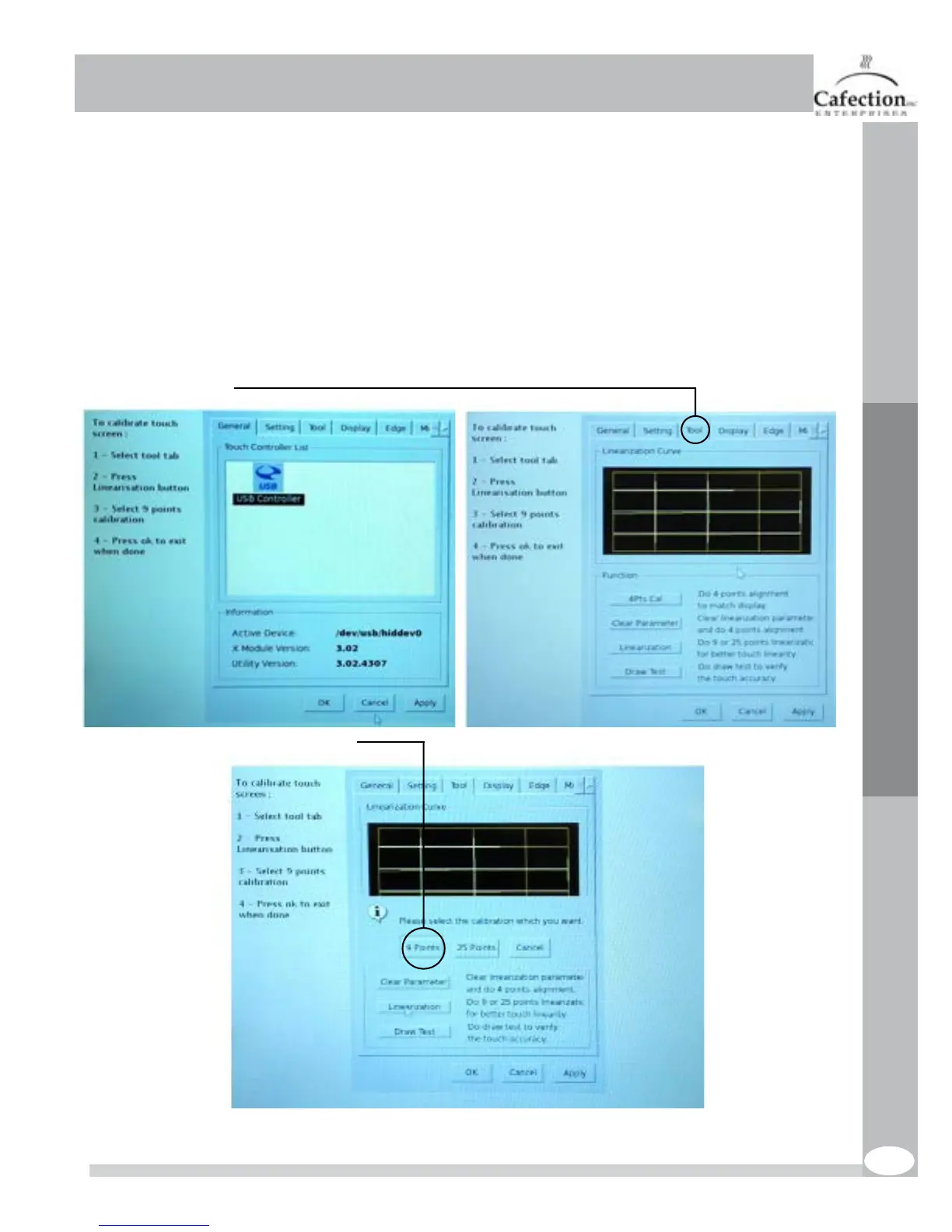
1.Enter the calibration tool menu. To do so, go in service mode and go to ‘‘SYSTEM’’ then ‘‘TOOLS’
and press ‘‘Touchscreen test and calibration’’ see section 4.6.3. There is another way to access this
menu. Open the door of the machine and press SW3 on the main board see picture in section 3.17.
After doing this, the screen below will appear.
2. Select the tool tab.
3. Select ‘‘Linearization’’ then ‘‘9 points’’.



 To Next Page