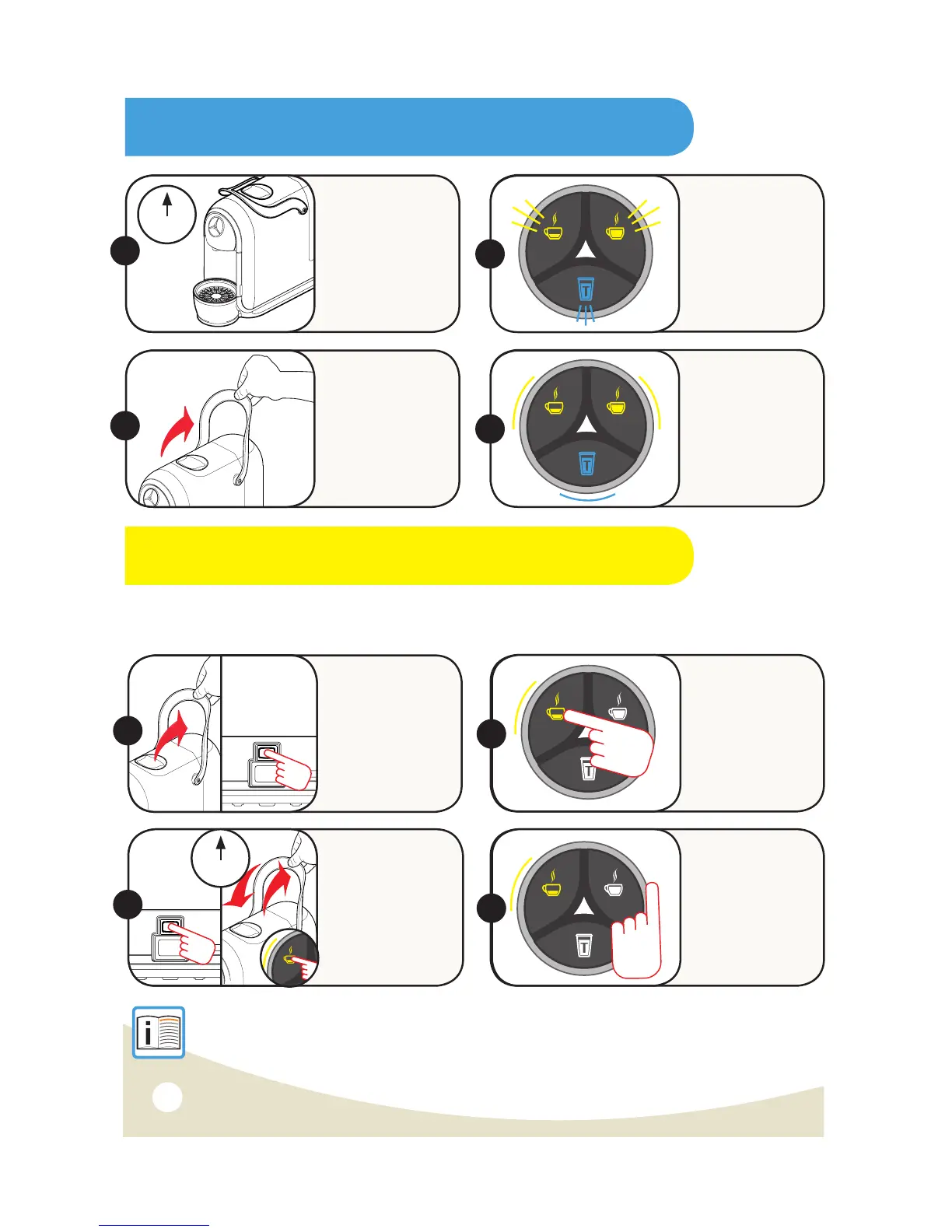
SAVING ENERGY
ON
17
The machine will
automatically
reduce
consumption ten
minutes after the
last use.
1.
2.
4.
To restore
normal operating
conditions, press
any button or
raise the Lever.
The appliance will
start warming up.
All the buttons
will slowly and
sequentially blink.
When all the
buttons turn
on and remain
steadily lit, the
appliance is ready
for use.
RESTORE ORIGINAL SETTINGS (RESET)
These instructions, allow you to reset the machine back to its factory settings – helpful if you experience
an issue with the machine, or you have changed the pour levels for example and cannot change them back
to their original levels.
Lift Lever up.
Switch OFF
using the On/Off
Switch.
Switch ON using
On/Off Switch, then
after 1 sec, close
and open the Lever
within 1 second
while keeping your
finger on the Single
Espresso button.
Hold down the
Single Espresso
button for the
whole of Step 3
and Step 4.
2.
NOTE: Now that the machine has been RESET it is in First Use Mode. We recommend following the
'First Time Use' steps on Page 7. If you have RESET the machine and the problem still continues,
you should contact the Caffitaly System Customer Service Line on
AU 02 9846 0307 | NZ 0800 450 894.
10mins
3.
OFF
1.
3.
If reset successful,
you will hear beeps.
Release Single
Espresso button
NOTE: If you don’t
hear the beeps,
repeat all steps
again until you are
successful.
4.
1sec
S21 Capsule Machine Instruction Manual 3/09/15


 To Next Page