➢ In compass measurement mode, press C key to on / off reverse direction display. When open the reverse
direction, there is a “-“ on the bottom left of the screen. And when needle point to 0, the "S" direction
indicated by the 12 o 'clock position is the south
➢ It will exit the measuring mode after 1 min without button pressing, you can measure again by pressing D.
➢ The follow table indicated the meaning of each acronym for each direction.
Note: if your compass never used before, please adjust as following method
Compass adjust mode
Automatically adjust mode(CAL)
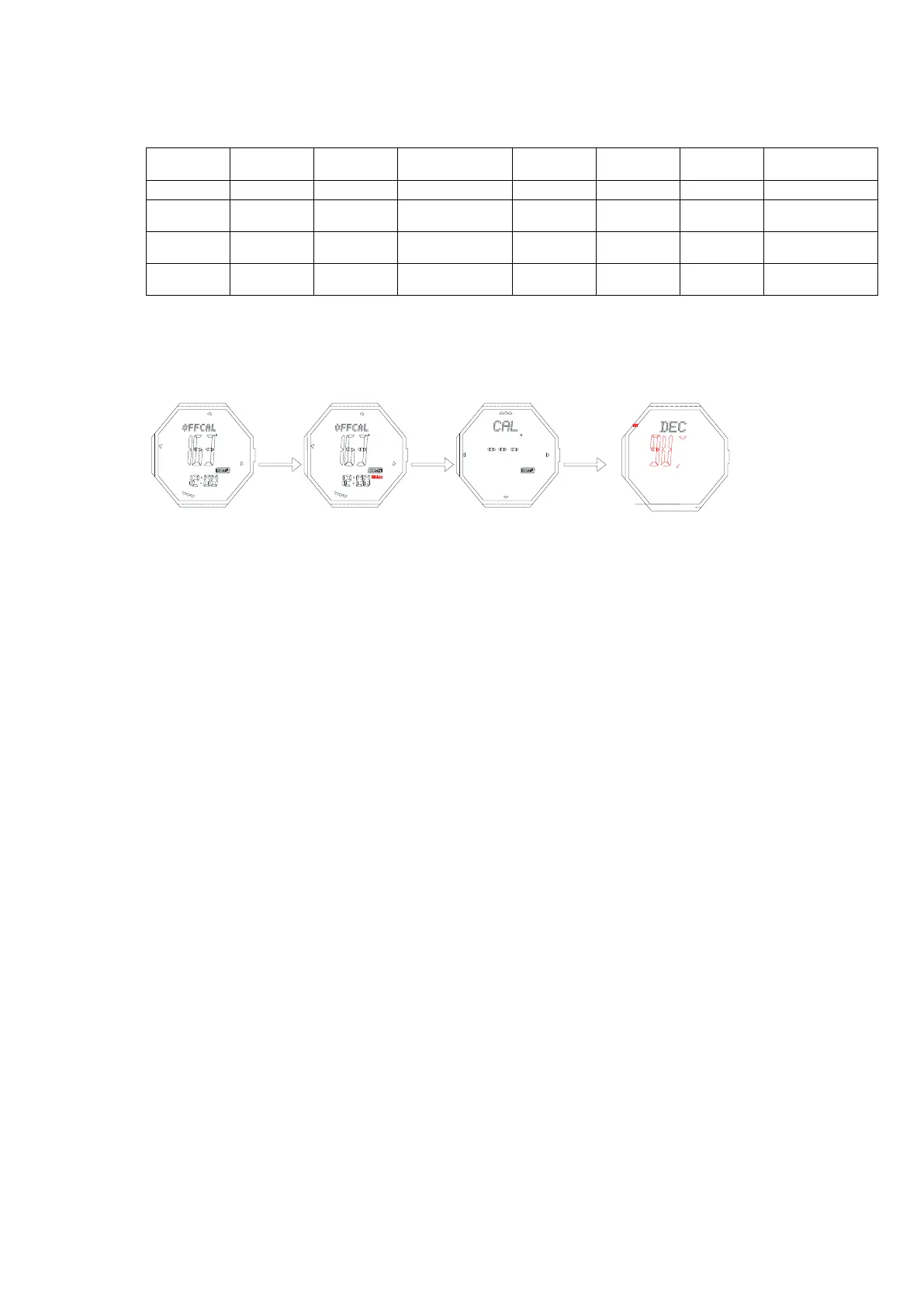
➢ In compass mode, keep pressing B for 2s to enter CAL, press D or C, then turn the watch slowly, both
clockwise and anti-clockwise are ok. This watch will exit the correction mode automatically and return
to compass measurement mode after simply turning two circles in the same direction. During compass
correction, after 60 direction points illuminate and go out one by one sequentially, it will confirm this
correction automatically.(Note: After change battery and use the compass for the first time, it will enter
automatically adjust mode first)
Digital adjust mode(DEC)
➢ If you have a correct north, and after DILE, it still deviate much, then use the DEC to correction.
➢ In compass mode, keep pressing B for 2s to enter CAL, press B again to enter DEC(press D to increase
1,C decease 1)
➢ The maximum correction angle range is ±90°(“W” “E”±90°)
➢ Press B for 2s to confirm the corrected value, and return to normal measurement mode.
Note: you don’t need to print the below 2 items
⚫ Explain on the sensor checking
➢ When it is powered on, the error exist between MCU and sensor, it will display.
➢ If it is between pedometer IC and MCU, it display “ERR1”
➢ If it is between compass IC and MCU, it display “ERR2”
➢ If it is between temp. sensor and MCU, it display “ERR3”
➢ The above will display for 2s,and will not display again after enter timekeeping mode again
➢ If everything is OK, then no error display, it will directly enter timekeeping mode
⚫ Universal explain
1、 The curve display in atmospheric pressure mode, is not the actual one. It detects the altitude every 15 min, if
the altitude change is not more than 8 meters, then it will own to the sea level change, not actual altitude. In
this case, it will work out the pressure value according to the former 15 min altitude. If it is more than 8
meter, it will figure out you are climbing, the pressure will be kept the same.
2、 At the first 5 minute after entering altitude or pressure measurement mode or exiting the setting mode, it
will measure every 2 second; after 5 min later, every 2 min measred, and other mode will be 15 min.
3、When set the magnetic declination, if + is set, the actual declination plus adjusted one displayed, if it is
-,then the actual declination minus adjusted one displayed.


 To Next Page
 Loading...