➢ Press D/C to shift“YES”/“NO”,when it is YES, that means use the default value 1013.25mb
10、Atmospheric pressure measurement mode
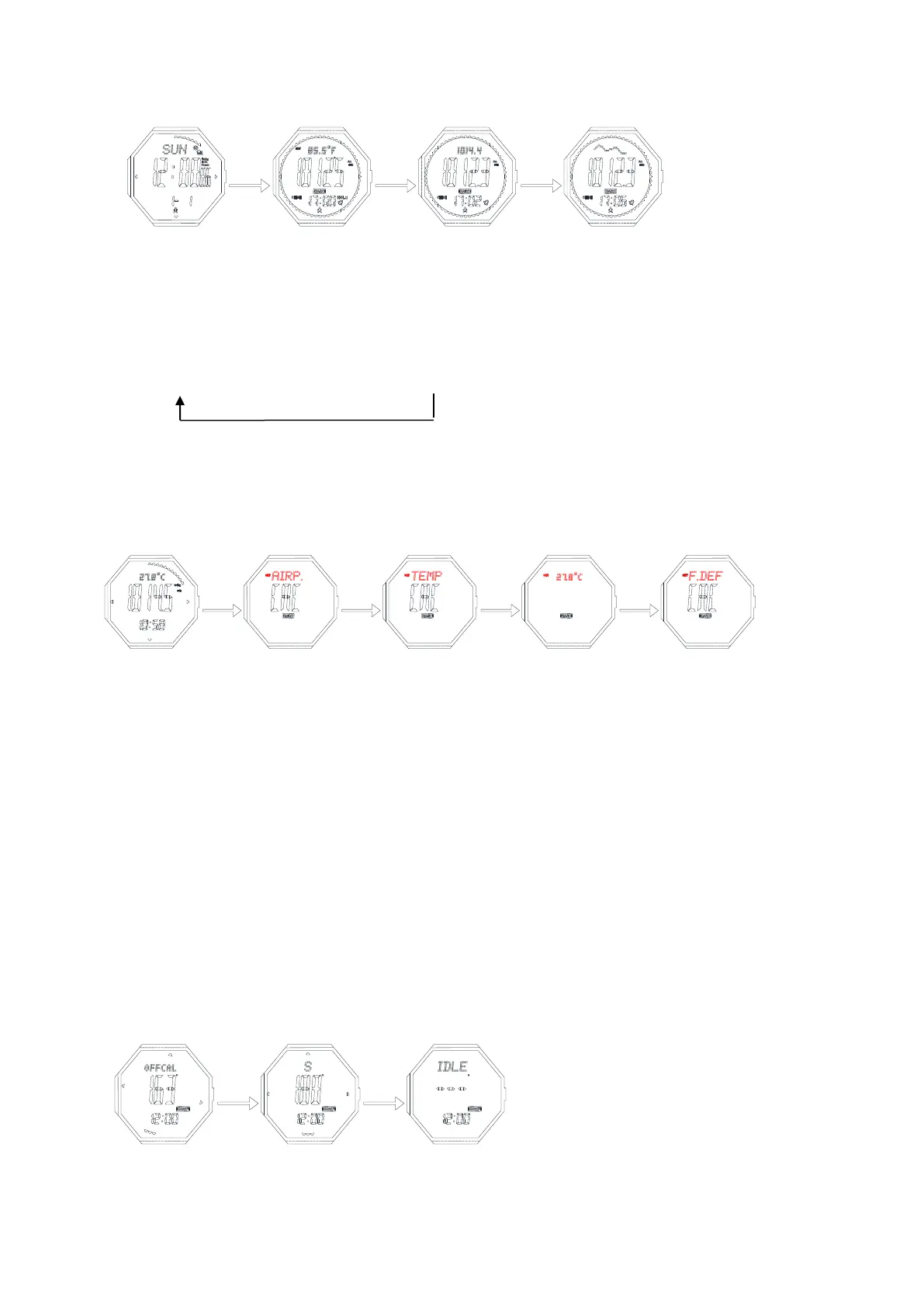
➢ In timekeeping mode, press button D to enter atmospheric pressure measurement mode,
➢ Press D to shift the display: temperature→sea level atmospheric pressure→trend
➢ When it displays the trend by pressing C, you can review the former hourly curve
➢ Keep pressing D for 2s to shift the unit of temperature and altitude
℃/hpa/mb→℃/Inhg→℉/Inhg→℉/hpa/mb
➢ It will return to timekeeping mode after 24h without any pressing,
Atmospheric pressure setting
Press button B for 2s to enter atmospheric pressure setting mode, press B to move and set the following
items
Input your current atmospheric pressure
➢ Input your current atmospheric pressure(AIRP)
➢ Press D to increase the value, press and hold D to advance quickly.
➢ Press C to decrease the value, press and hold C to decrease quickly
➢ Press button B for 2s to confirm, return to atmospheric pressure measurement mode
Input your current temperature(TEMP)
➢ Press D to increase the value, press and hold D to advance quickly.
➢ Press C to decrease the value, press and hold C to decrease quickly
➢ Press button B for 2s to confirm, return to atmospheric pressure measurement mode
Factory default atmospheric pressure value(FDEF)
➢ Press D/C to shift“YES”/“NO”,when it is YES, that means use the default value for pressure and
temperature
➢ Press button B for 2s to confirm, return to atmospheric pressure measurement mode
Note: when adjust the temp., it use the unit ℃,it will increase/decrease 0.1 each pressing, when unit is
℉,then 0.2 each pressing
11.Compass mode
➢ When the watch is horizontal, move the watch to make the needle point to 0,the 12 o’clock direction is the
north.


 To Next Page
 Loading...