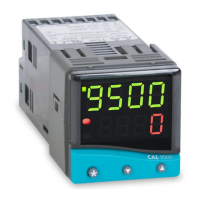
Configuring Instrument Comms Settings
This should also be done immediately after power-up, and
is only possible from the instrument front panel.
On power-up the controller will display the self test
sequence followed by Alternating INPT and
nonE
Note: During the following procedure the display will revert
to alternating INPT and
nonE
after 60 seconds of
keying inactivity, but will retain any settings already
completed. Should this occur, or in the event of becoming
‘lost’ in the program, please start again from the alternating
INPT and
nonE
display.
To select Level C (communications settings)
Press ▼ once display alternates LEVL and
5
Press and hold ✱ and press ▼ five times to reach level C
display alternates LEVL and
C
Note: Level C is only visible when the comms interface
board is fitted to the unit
To set instrument comms address
Press ▲ once display alternates ADDR and
0
Press and hold ✱ and press ▲ to index to chosen address
number
(1 to 247)
Note: In the absence of any conflicting information the
following comms settings should be left as the default values
(see details on page 7).
To read or adjust comms settings
Baud rate
Press ▲ once display alternates BAUD and
9600
(Default setting)
Press and hold ✱ and use ▲ or ▼ keys to select preferred
value.
Data format
Press ▲ once display alternates DATA and
18n1
(Default setting)
Press and hold ✱ and use ▲ or ▼ keys to select preferred
setting. (see table page 7).
Debug setting
Press ▲ once display alternates DBUG and
oFF
(Default setting)
Press and hold ✱ and use ▲ key to select
on
To enter settings into memory
Press and hold ▲ and ▼ for 3 seconds display alternates
INPT and
nonE
To check settings; repeat the above procedure
The unit is now ready to be configured from the PC.
Note: Where more than one instrument is connected to the
system, it is useful at this point to list them by location, title
and comms address. The list can then be used as a
reference to ensure that the instruments are given the same
identity when configuring the comms link from the PC.
!
8


 To Next Page
 Loading...