Press and hold the Microphone button to talk to your baby,
release it to exit the intercom mode.
Please note: You will not hear any sound until the release of
Microphone button.
Press Menu Button -> select -> press OK button to zoom
in. The icon will appear in the top status bar to confirm the
zoom in is active.
M
x10
Press Menu Button -> select -> pick the desired song ->
press OK Button to play. The icon will appear in the Top
Status Dock to confirm playing.
M
Press Menu Button -> select -> select "OFF" or your
desired timer durations -> press OK Button to confirm. When the
timer is on, the icon will appear in the Top Status Dock.
M
Select -> press OK Button to turn off temperature
alarm.
Select -> press OK Button to turn on temperature
alarm. Alarm goes off if room temperature is above or below
of the range 20°C ~ 30°C.
Select °C / °F -> press OK Button to set temperature unit.
Press Menu Button -> select
M
8
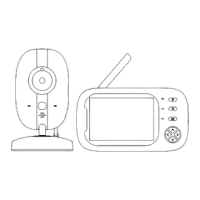
Adjust View Angle
This can be done by manually adjusting the camera's position.
Talk To Your Baby
Zoom In & Out
Play Lullaby
Feeding Reminder
Temperature Settings


 To Next Page