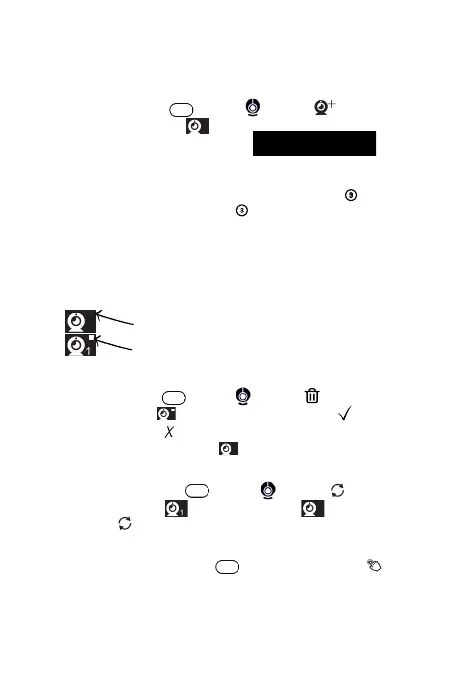
Press Menu Button -> select -> select -> select
available camera slot -> press OK Button to confirm -> a
message will display on the screen . The
display unit paring mode times out in 30 seconds.
Connect the new camera to power and keep it within 1 meter
from the display unit. Press and hold the pairing key for 3
seconds until the indicator light flash quickly. The camera is
now in pairing mode. Once it's connected with the display unit,
the indicator light will stay on. The camera's pairing mode
times out in 60 seconds.
1.
2.
M
Keep pressing the button of the
camera for three seconds to pair
2
Press Menu Button -> select -> select -> select
active camera slot -> press OK Button -> select to
confirm deletion, or to cancel the action. The red square is
gone once confirmed deletion .
M
2
2
2
Long press the Menu Button for 5 seconds, until the icon
is displayed in the Top Status Dock. Long press for another 5
seconds, to turn it off.
M
Note: The red square next to a camera slot, means that slot is
already token by a connected camera.
Add A Camera
*
*
Available slot
Unavailable slot
Delete A Camera
Turn On Buttons Click Sound
Press the Menu Button -> select -> select -> select
the desired option: is to view camera 1, is to view
camera 2, is to automatically switch between camera 1 and 2.
Switch Between 2 Cameras
M
2
10


 To Next Page