20 ImPulse IP Audio Routing & Mixing System Start Up Guide
Setup AoIP Core Transmitters
and AoIP Device Receivers for
Outputs configuration
Now the AoIP Core Router & AoIP Device
interfaces are setup, the next step is to
create transmitter and receiver streams
for them using the ‘Connect‘ application.
AoIP Core Transmitters
The User configures AoIP transmitters in
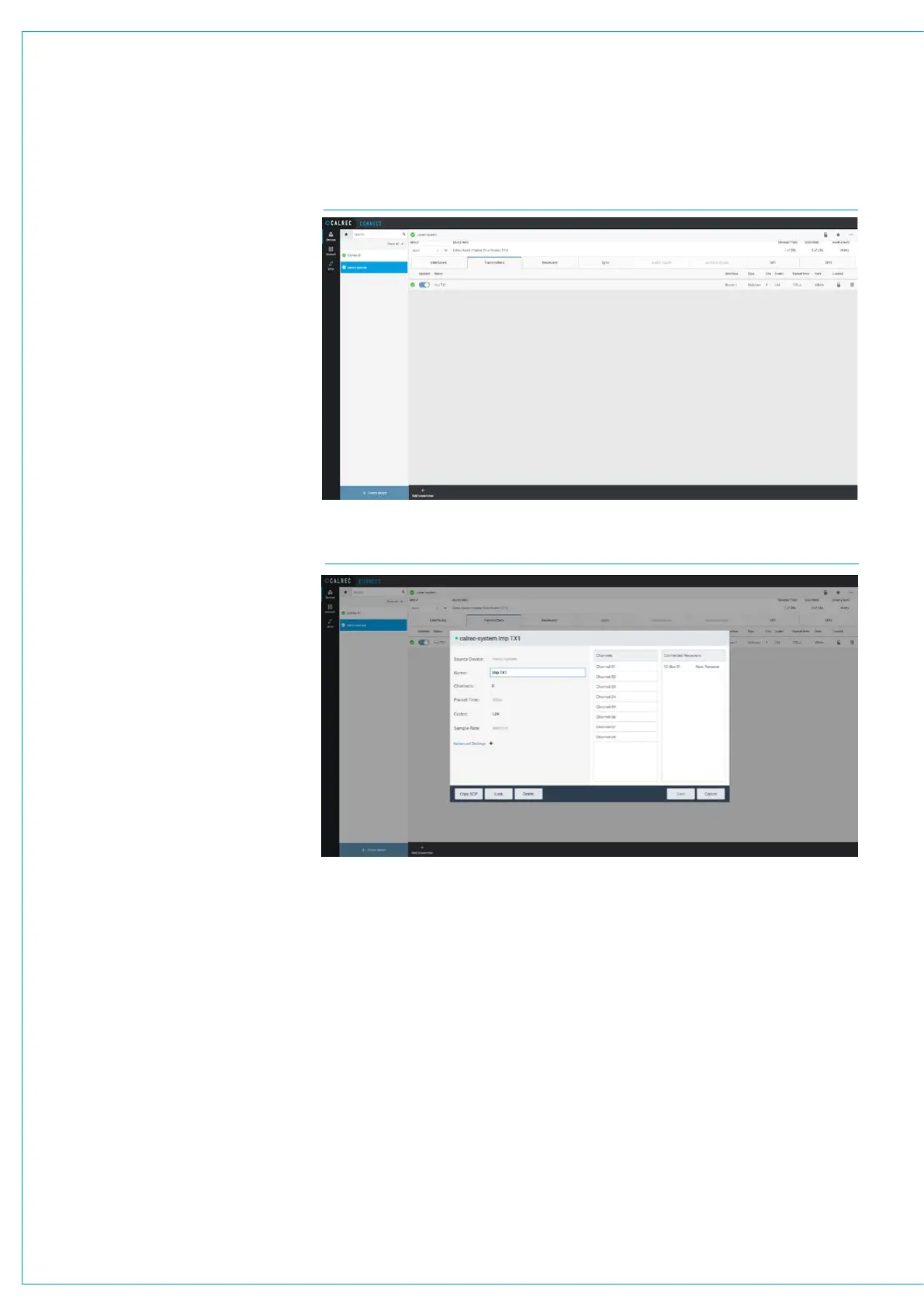
the core, the page shown above right is
accessed from the Devices menu when
the ‘calrec-system’ device’s ‘Transmitters’
tab is selected, it is used to add/remove
and configure transmitters.
The number of available transmitters
shown here for the Impulse Core is 256,
this is based on one router connected
having 4 AoIP interface Pri/Sec sets on
each router, each of which carries 256
channels i.e. a total of 2048 channels
with each stream carrying 8 channels,
thus providing 2048/8=256 available
transmitters.
Each row on the transmitters sub-page
table represents a transmitter.
The columns in the table provide the
following information about:-
- Transmitter name e.g. Imp TX1.
- Transmitter interface e.g. AoIP 1:Pri.
- Type of transmitter, normally defined as
a Multicast one to many type rather that
a Unicast one to one type.
- Number of channels in each transmitter
e.g. 8.
- Codec used e.g. L24.
- Packet time e.g. 125us.
-Sample Rate e.g. 48000Hz.
Transmitter Settings - Core
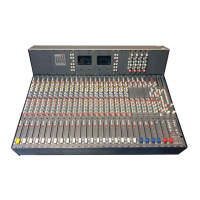
When the user selects one of the
available transmitters or clicks on ‘Add
Transmitter’ at the bottom of the page, a
dialogue box appears, allowing the user to
configure the transmitter as shown below
right.
It shows information for VIEWING ONLY
and also settings that can be ADJUSTED.
Source Device: This is set on the
summary page using ‘Connect’.
CONNECT>DEVICES>AOIP CORE TRANSMITTERS
CONNECT>DEVICES>AOIP CORE TRANSMITTERS- ADD/EDIT/DELETE
Transmitter Name: The user can edit
the transmitter name by clicking in the
Name field and saving it.
No of Channels in the Transmitter:
The maximum number of channels that
can exist in a stream is 80, however a
channel count of either 8 or 16 channels
is more common for transmitting groups
of related channels to a destination.
Please refer to the Connect Application
Guide (926-292).pdf for further
information beyond this simple setup of a
transmitter, including Advanced Settings.


 To Next Page