25
AoIP Core Receivers
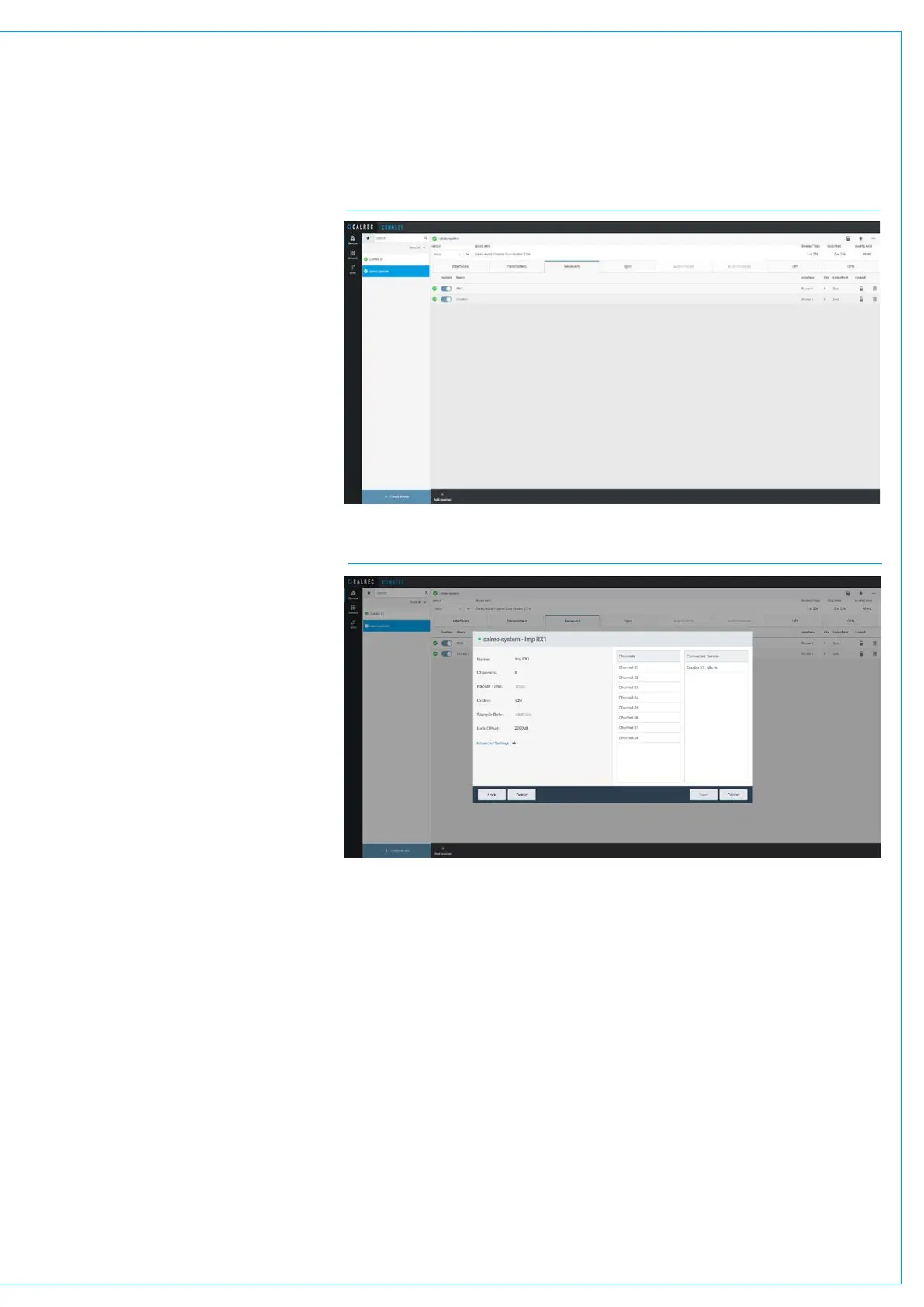
The user configures AoIP receivers in
the core, the page shown above right is
accessed from the Devices menu when
the ‘calrec-system’ device’s ‘Receivers’
tab is selected, it is used to add/remove
and configure receivers.
The number of available receivers
shown here for the Impulse Core is 256,
this is based on one router connected
having 4 AoIP interface Pri/Sec sets on
each router, each of which carries 256
channels i.e. a total of 2048 channels
with each stream carrying 8 channels,
thus providing 2048/8=256 available
receivers.
Each row on the receiver sub-page
table represents a receiver.
The columns in the table provide the
following information about:-
- Receiver name e.g. Imp RX1.
- Receiver interface e.g. Router 1
- Number of channels in each receiver
e.g. 8.
- Codec used e.g. L24.
- Packet time e.g. 125us.
-Sample Rate e.g. 48000Hz.
-Link Offset e.g. 2000us.
Receiver Settings - Core
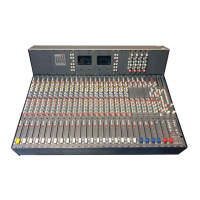
When the user selects one of the
available receivers or clicks on ‘Add
Receiver’ at the bottom of the page, a
dialogue box appears allowing the user to
configure the receiver.
It shows information for VIEWING ONLY
and also settings that can be ADJUSTED.
Receiver Name:
From the image below right, the user can
edit the receiver name by clicking in the
Name field and saving it.
CONNECT>DEVICES>AOIP CORE RECEIVERS
No of Channels in the Receiver:
The maximum number of channels that
can exist in a stream is 80, however a
channel count of either 8 or 16 channels
is more common for passing groups of
related channels from a source.
Refer to the Connect Application
Guide (926-292).pdf for further
information beyond this simple setup of a
receiver, including Advanced Settings.
CONNECT>DEVICES >AOIP CORE RECEIVERS- ADD/EDIT/DELETE


 To Next Page