SECTION 10: MANUAL KEY ®
making
since 1986
ater work
Note: Time must be set from 0.1 seconds to 15.0
minutes.
3.
Press the blue ARROW keys to
highlight the RUN EACH
STATION FOR ##.# Minute(s).
4.
Press the PLUS or MINUS keys
to set the amount of time that you
want each station to run for. The
same time will be set for each
station selected.
5. Press the blue ARROW keys to
highlight the individual station
slots.
6.
Press the PLUS or MINUS keys
to enter the number for the station
that you want to come on in that
slot.
Note:
A single station cannot be entered into
multiple slots.
7.
Press the BEGIN COUNTDOWN
Menu key (Figure 10.10).
Begin Countdown
_ _ _ _ _ _ _ _ _ _ _ _ _ _ _ _ _ _ _ _
_ _ _ _ _ _ _ _ _ _ _ _ _ _ _ _ _ _ _ _
_ _ _ _ _ _ _ _ _ _ _ _ _ _ _ _ _ _ _ _
_ _ _ _ _ _ _ _ _ _ _ _ _ _ _ _
Run Each Station For 3.0 minute(s)
20 13 12 11 10 5 4 6 7 8
Set the Walk-Thru Order:
WALK-THRU SET-UP
Start your Walk-Thru in 15 seconds
Figure 10.10
8.
Press the STOP TIMER Menu
key to halt the countdown.
Note:
If the controller is off the countdown will not
begin.
Note:
When countdown has completed the
controller will take you to the Irrigation details
screen.
THIS CONCLUDES THE WALK-THRU SECTION
10H. USE HOLD-OVER
Hold-Over time is generated whenever scheduled
irrigation has hit the Stop time. The controller will
first try and use up any hold-over in the table after
scheduled irrigation has finished, but before the Stop
Time has been reached. The Use Hold-Over feature
allows the user to schedule a specific time and
day(s) to try and use up any hold-over in the table.
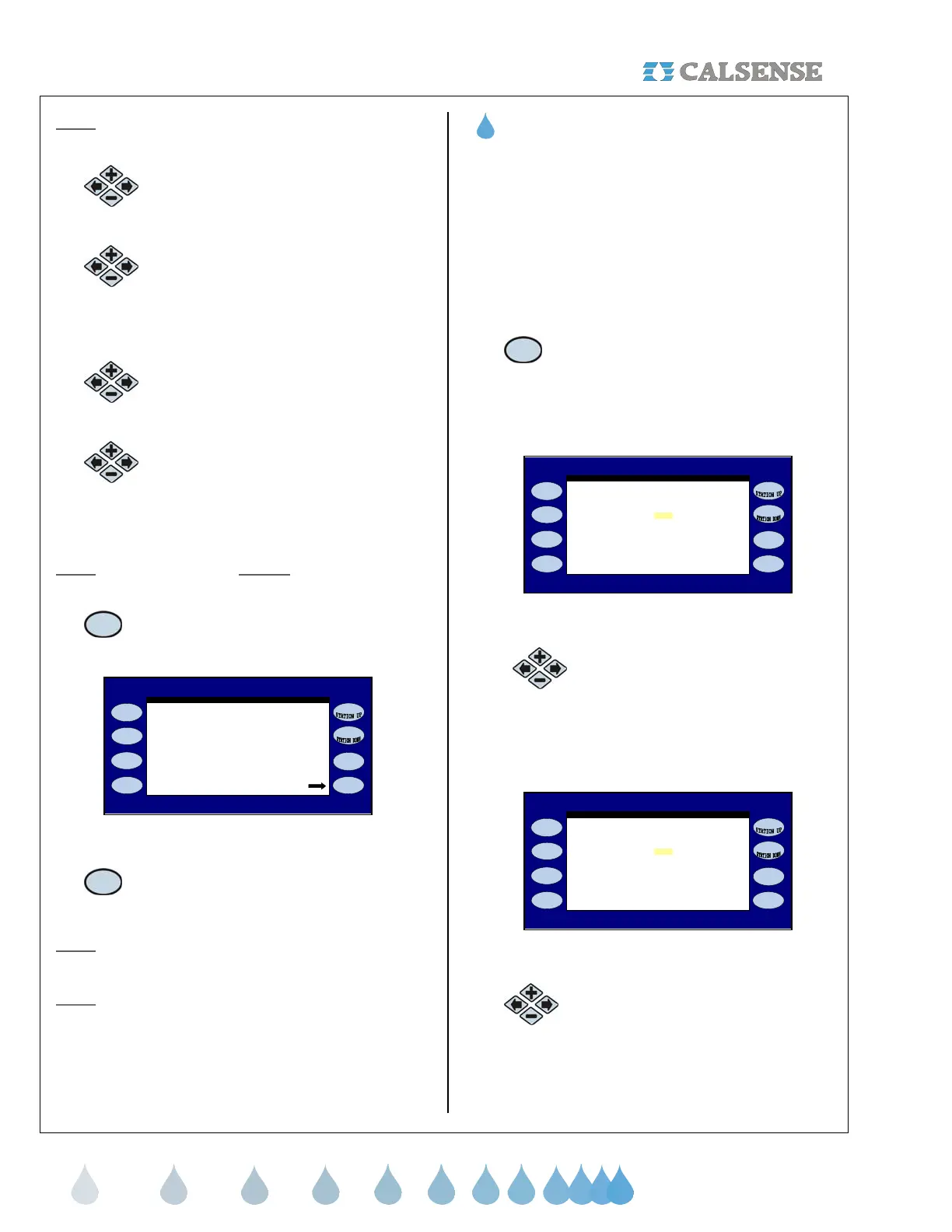
From the MANUAL MENU screen (Figure 10.1).
1. Press the USE HOLD-OVER
Menu key.
The MANUAL USE OF HOLD-OVER screen is
displayed (Figure 10.11).
NO
time to run Hold-Over?
MANUAL USE of HOLD-OVER
irrigation, do you want a special
In ADDITION to the normally scheduled
Figure 10.11
2.
Press the PLUS or MINUS keys to
select whether or not you want to
use Hold-Over. If YES is selected,
the screen will change to reveal the
set up parameters (Figure 10.12).
YES
( No Water prevents this from running. )
Start Time: 10:00PM
Stop Time: OFF
Schedule: - - - - - - - - - - - - - - - - - - - - -
time to run Hold-Over?
MANUAL USE of HOLD-OVER
irrigation, do you want a special
In ADDITION to the normally scheduled
Figure 10.12
3.
Press the blue ARROW keys to
highlight the Start Time.



 To Next Page