® SECTION 3: PROGRAMS & STATIONS
making
since 1986
ater work
3F. PERCENT ADJUST
Percent Adjust allows the user to adjust the Total
Minutes or % of ET used by every station, or by
program by a specific percentage.
From the MAIN MENU screen:
1. Press the PROGRAMS & STATIONS
Menu key.
2.
Press the PERCENT ADJUST
Menu key.
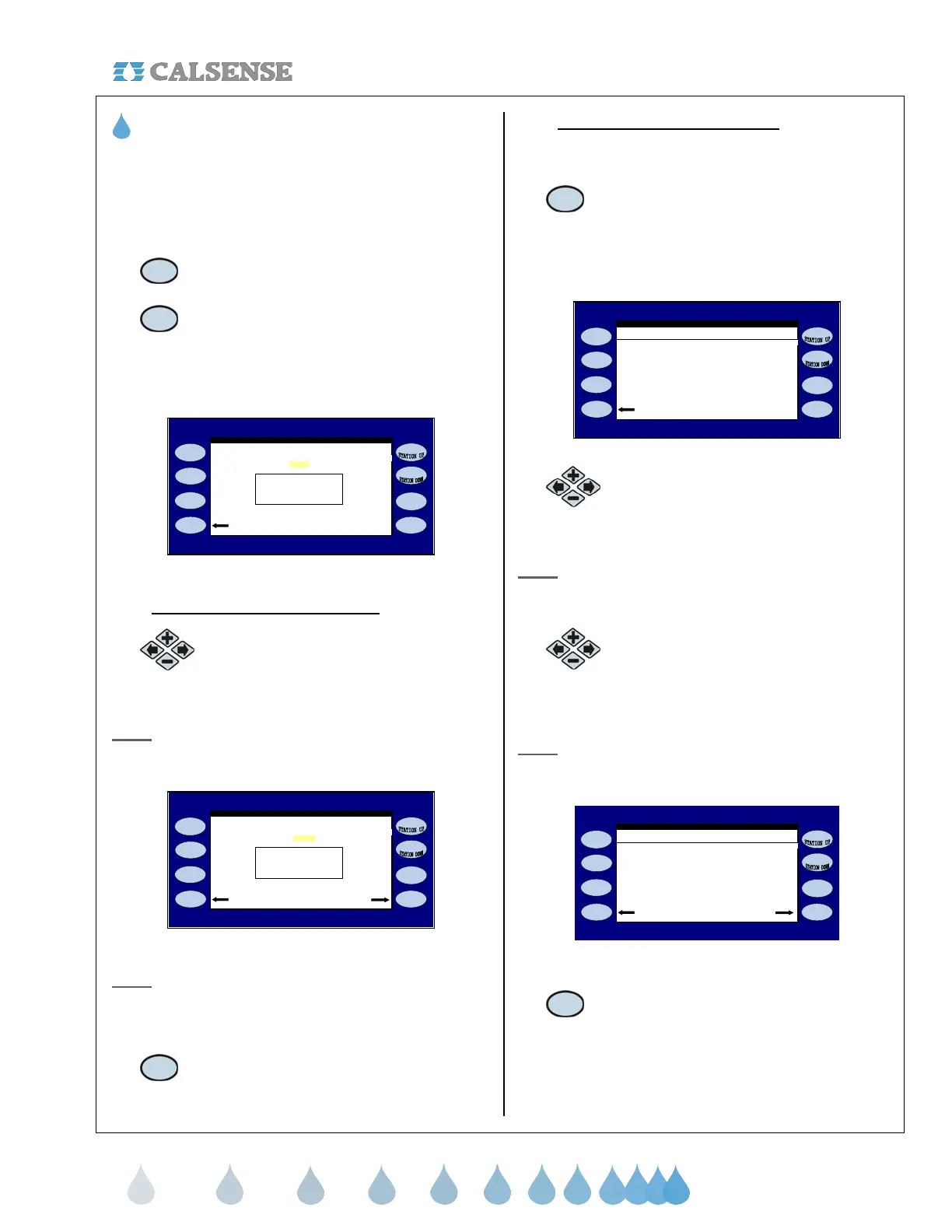
The PERCENT ADJUST screen is displayed
(Figure 3.8).
by 0%
PERCENT ADJUST
Ad
ust ALL STATION run times
Ad
usted Time: 0.0
Adjust BY PROGRAM
STATION 1
Current Time: 0.0
Figure 3.8
3F.1 Percent Adjust ALL STATIONS
1. Press the PLUS or MINUS keys to
change the “ADJUST ALL
STATIONS ”.
Note: If this entry is changed to any value other than
zero the MAKE THE CHANGE Menu key will be
displayed (Figure 3.9).
by + 50%
Make the ChangeAdjust BY PROGRAM
STATION 1
Current Time: 1.0
PERCENT ADJUST
Ad
ust ALL STATION run times
Ad
usted Time: 1.5
Figure 3.9
Note: You can view what impact your change will have
on each particular station by using the STATION UP
or STATION DOWN Menu keys located to the right of
the display screen.
2.
Press the MAKE THE CHANGE
Menu key.
3F.2 Percent Adjust BY PROGRAM
From the PERCENT ADJUST screen (Figure 3.8).
1. Press the ADJUST BY PROGRAM
Menu key.
The PERCENT ADJUST screen is displayed
(Figure 3.10).
PERCENT ADJUST
ADJUST BY
PROG A . . . . . . . . . . . . . . . . . . . . - - -
djust ALL STATIONS
PROG B . . . . . . . . . . . . . . . . . . . . - - -
PROG C . . . . . . . . . . . . . . . . . . . . - - -
PROG D . . . . . . . . . . . . . . . . . . . . - - -
PROG E . . . . . . . . . . . . . . . . . . . . - - -
DRIP 1 . . . . . . . . . . . . . . . . . . . . - - -
DRIP 2 . . . . . . . . . . . . . . . . . . . . - - -
( + will increase /- will decrease )
Figure 3.10
2.
Press the blue ARROW keys to
highlight the Program Percentage that
you want to change.
Note: The Adjust by Percentage range will show as
three dashes if set to zero and can be adjusted from
decrease by 99% to increase by 200%.
3. Press the PLUS or MINUS keys to
change the percent setting.
Repeat to change each individual program.
Note: If any entry is changed to any value other than
zero the MAKE THE CHANGE Menu key will be
displayed (Figure 3.11).
PERCENT ADJUST
ADJUST BY
PROG A . . . . . . . . . . . . . . . . . . . . + 50%
Make the Change
djust ALL STATIONS
PROG B . . . . . . . . . . . . . . . . . . . . - - -
PROG C . . . . . . . . . . . . . . . . . . . . - - -
PROG D . . . . . . . . . . . . . . . . . . . . - - -
PROG E . . . . . . . . . . . . . . . . . . . . - - -
DRIP 1 . . . . . . . . . . . . . . . . . . . . - - -
DRIP 2 . . . . . . . . . . . . . . . . . . . . - - -
( + will increase / - will decrease )
Figure 3.11
4. Press the MAKE THE CHANGE
Menu key.
THIS CONCLUDES THE PERCENT ADJUST
SECTION



 To Next Page