Need help?
Do you have a question about the CAMAG LINOMAT 5 and is the answer not in the manual?
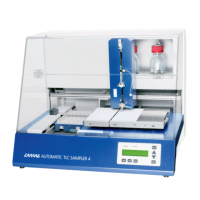
Provides an overview of the CAMAG Linomat 5 system.
Crucial warnings and safety guidelines for operating the instrument.
Lists components included with the instrument and available spare parts.
Guides on unpacking, setup, and environmental requirements for the instrument.
Instructions for connecting gas supply, mains power, and PC interfaces.
Covers initial system checks, syringe installation, and application setup.
Instructions for loading plates/foils and positioning the waste plate.
Explains display, keys, and stand-alone operation modes.
Details procedures for OFF-LINE start and local parameter input.
Procedures for aborting, resetting, and docking the syringe.
Covers general maintenance and accessing the setup dialog.
Proper syringe handling and adjusting spray gas pressure.
Procedures for cleaning the jet assembly and replacing fuses.
Details on maintenance intervals and consumable replacement cycles.
Explains normal mode texts, system ready, and syringe selection dialogs.
Covers method stack, parameter types, parameter input, and setup dialogs.
A comprehensive list of error codes and their meanings.
 General
| Brand | CAMAG |
|---|---|
| Model | LINOMAT 5 |
| Category | Laboratory Equipment |
| Language | English |


 To Next Page