Need help?
Do you have a question about the CAMAG ADC 2 and is the answer not in the manual?
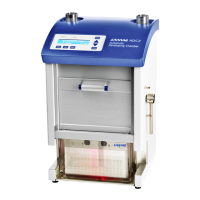
Overview of the CAMAG ADC2 Automatic Development Chamber and its core functions.
Essential safety guidelines and warnings for operating the instrument to prevent injury and damage.
Lists all components included with the CAMAG ADC2 instrument upon purchase.
Details optional accessories that can be added to the CAMAG ADC2 system.
Lists commonly replaced parts for the CAMAG ADC2.
Instructions for unpacking and placing the CAMAG ADC2 instrument.
Specifies the required physical space, temperature, humidity, and atmospheric conditions for setup.
Details power supply, grounding, and exhaust connection requirements for installation.
Guidance on connecting the instrument to the mains power outlet.
Instructions for connecting the instrument to a computer via RS232.
Procedure for mounting the exhaust tube to direct solvent vapors.
Describes the automatic sensor system monitoring and error notification.
Procedure for verifying system functions during the initial startup sequence.
Guidance on attaching and handling HPTLC plates and foil holders in the ADC2.
Instructions for inserting the plate or foil holder into the drying module.
Procedure for correctly positioning the Twin Trough Chamber inside the ADC2.
Information regarding inlet reservoirs for developing and preconditioning solvents.
Explanation of the instrument's display interface, control lamps, and key operations.
Steps to start the instrument for development without PC control.
How to adjust method parameters directly on the instrument.
Procedure for saving customized methods in Stand-Alone operation.
Instructions for removing stored methods from the instrument.
Procedure to stop a development application that is currently in progress.
How to reset the instrument to its initial state.
Explains the meaning of various texts and messages displayed on the instrument.
Flowchart illustrating the Normal operation mode and its dialog options.
Flowchart for selecting and managing methods within the instrument.
Flowchart for entering and navigating the parameter type selection dialog.
Flowchart for accessing and inputting specific method parameters.
Flowchart for selecting and executing manual operational functions.
Flowchart for accessing and configuring instrument settings.
Lists and describes common error codes and their troubleshooting information.
Guidelines for regularly cleaning the instrument to ensure optimal performance.
Procedure for decontaminating the instrument before storage or transport.
Information regarding general maintenance and servicing by authorized technicians.
How to enter the Setup dialog for configuration settings.
Procedure for configuring the communication baud rate with the PC.
Instructions for changing the instrument's display language.
Procedure for adjusting the contrast of the instrument's LCD display.
Step-by-step instructions for safely replacing the instrument's fuses.
Details maintenance intervals and lists consumable parts and their replacement cycles.
Explanation of using saturated salt solutions to control relative humidity.
Instructions for installing the optional Humidity Control device.
Steps to prepare saturated salt solutions for the humidity control system.
Procedure for preparing molecular sieve for use in humidity control.
Presents experimental results of humidity control tests with various salts.
Shows further measurements on HPTLC plate humidity and water absorption.
 General
| Brand | CAMAG |
|---|---|
| Model | ADC 2 |
| Category | Laboratory Equipment |
| Language | English |

 To Next Page