EasyManua.ls Logo

CAMAG ADC 2 - Manual Functions Dialog

CAMAG ADC 2
41 pages
Print Icon
To Next Page IconTo Next Page
To Previous Page IconTo Previous Page
Loading...
ADC 2
Instruction Manual, November 2016 Page 24
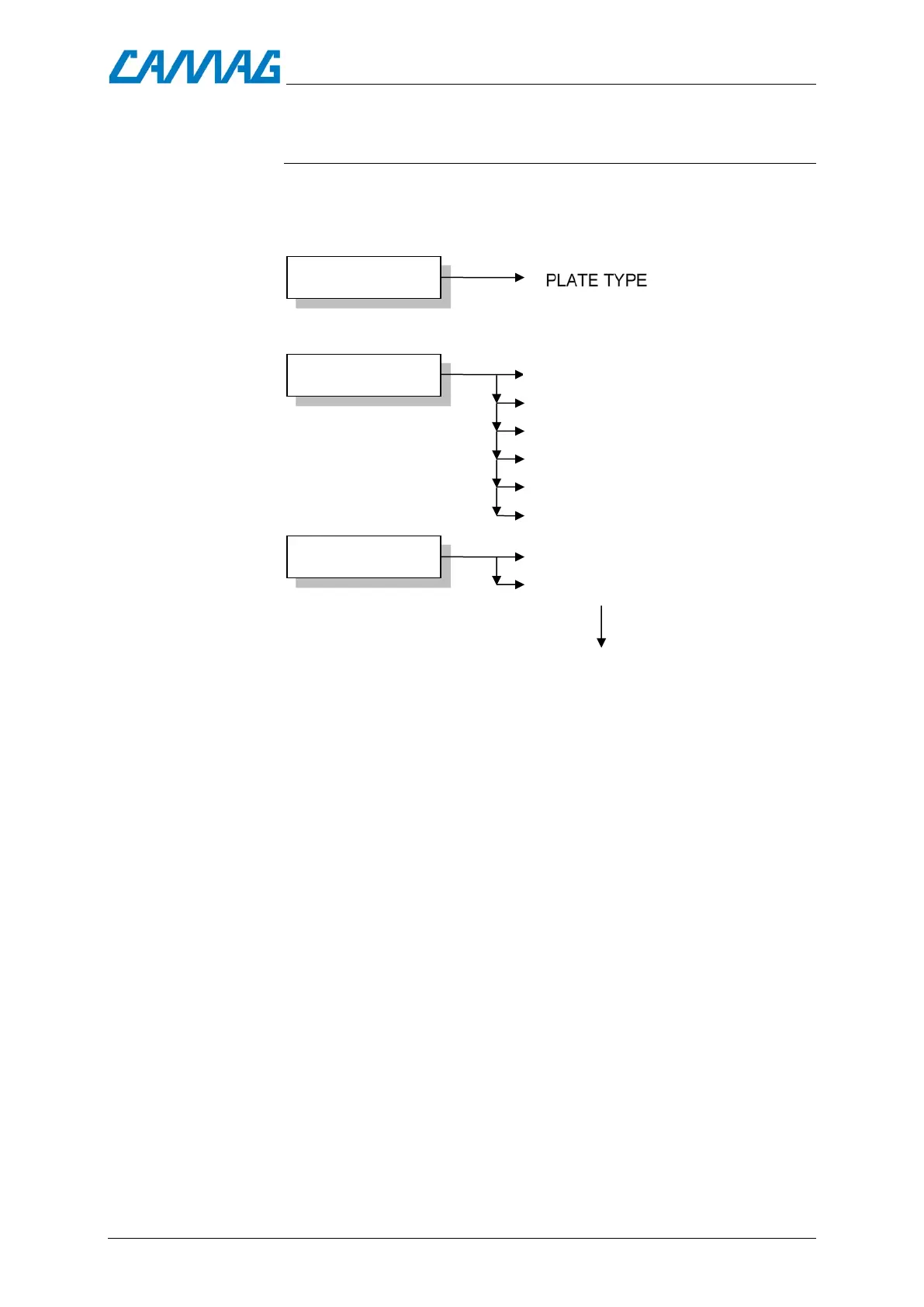
6.5. The Parameters Input dialog
To enter this parameter input dialog, press the ENTER key when
the display shows the name of the parameter type to be edited (in
the Dialog mode).
GLOBALS
PARAMETERS
SAVE METHOD
ENTER
ENTER
CONTROL HUMIDITY (TIME)
TANK SATURATION TIME
PLATE PCOND. TIME
MIG. DISTANCE
DRYING TIME
ENTER
DEFAULT METHOD 0
METHOD NO.1-10
Back to Method stack
WITH PRE-DRYING (Yes / No)
FEUCHTE EINSTELLEN (ZEIT)

Related product manuals