Instruction Manual, November 2016 Page 18
5. Stand-Alone operation
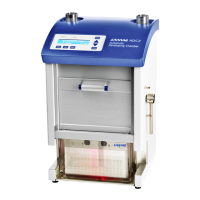
The instrument can be used in Stand-Alone mode. Up to 10
methods can be stored and used locally. Further you can start 4
permanent programmed methods (S1 to S4).
Note that locally started methods cannot be used in an analysis
created in visionCATS/winCATS, and that local parameter
changes are not documented in the software!
Procedure for Stand-Alone start:
Prepare the instrument for development.
Press the RUN key.
The most recently used method is displayed. With the or
keys you can select another locally stored method.
Press the ENTER key to start the displayed method. The last
method is re-started if ENTER is pressed in the “SYSTEM
READY” mode.
Procedure for local input of parameters:
Press the RUN key.
The most recently used method is displayed. With the or
key you can select another locally stored method.
Press the DIALOG key to locally change parameters of the se-
lected method.
Press the or key to select a parameter group (global pa-
rameters, parameters or save method) for local input and press
ENTER to confirm.
Now you can step through the parameters of the group by
means of the ENTER key or use the or key to change the
current parameter. To accelerate the change speed of a pa-
rameter you have to press the other arrow key a little bit later.
Press ENTER to confirm the new value and move on to the
next parameter.
Procedure for saving a changed method:
Select the parameter group Save method or press the END
key after having changed the parameters.
Select the memory position to save the new method by means
of the or key. Press ENTER to confirm position and save
the parameters.


 To Next Page