Instruction Manual, November 2016 Page 9
2.4. Mains connection
Use the supplied power cord for connecting the instrument to the
mains outlet.
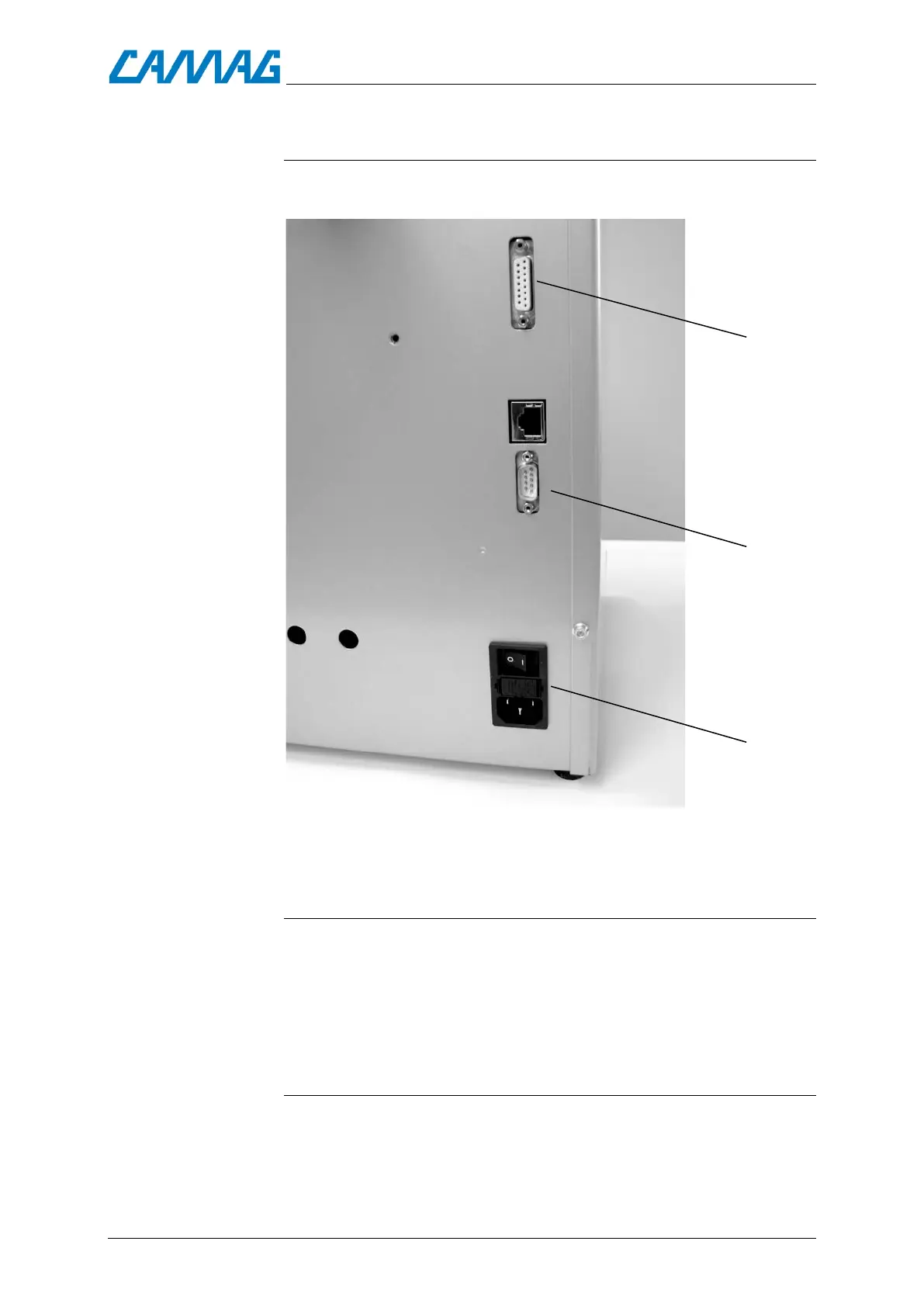
Fig. 3, Connections: 1 = RS232 Interface, 2 = Humidity module,3 = Power switch and
mains connection with fuse box.
2.5. Connection to the PC
The CAMAG ADC2 is shipped with a 9-pin RS 232 interface cable
for connection to the PC.
If you wish to use the instrument controlled by a software:
Connect the cable to the instrument and to a free COM-port
of the PC to enable data transfer.
2.6. Mounting the exhaust tube
The shipment contains an exhaust tube, which can be slipped on-
to the “black” air outlet fig.4, permitting exhaust solvent vapor to
be directed into a fume hood or other vent.


 To Next Page