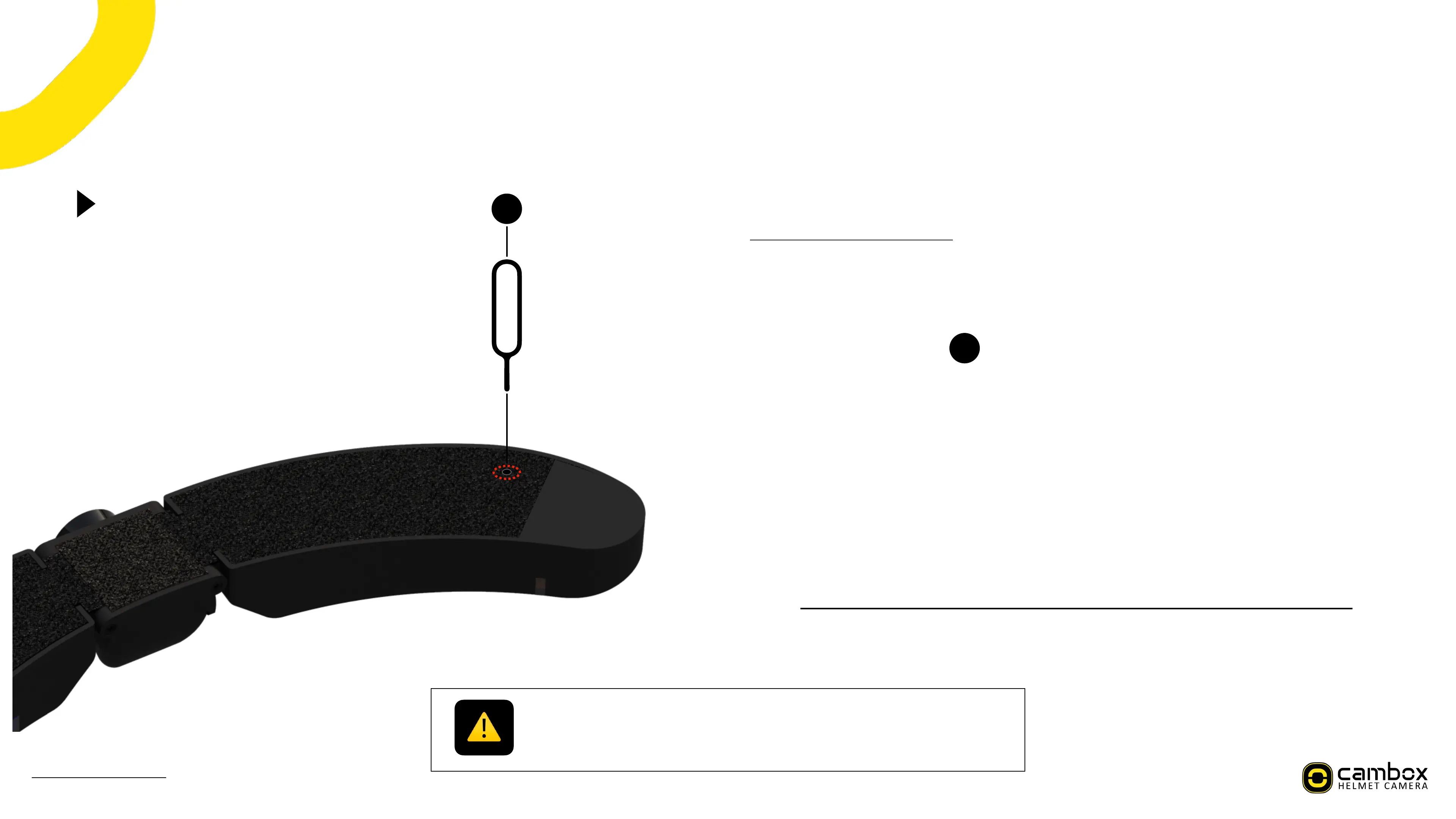
Perform a reset of my Cambox
-3.=/.5%*%.3:38%/=%5$%4*56/7
-./;3<".3%=/.%.3:3889+>%J%%
PA V+:".3%82*8%$/".%4*56/7%9:%"+.3:@/+:9?3%8/%$/".%*;89/+:A%
&A 1*Z3%823%538*#%@9+%%%%%%%%%@./?9<3<%9+%823%@*;Z*>9+>%
MA 1".+%$/".%4*56/7%8/%823%,3#;./X%:9<3%*+<%#/;*83%823%.3:38%2/#3%%
(A a+:3.8%823%3+<%/=%823%@9+%9+8/%823%.3:38%2/#3%
NA f3+8#$%@.3::%"+89#%$/"%=33#%*%;#9;Z%/+%823%9+83>.*83<%.3:38%6"88/+%
TA B/".%4*56/7%9:%+/D%.3:38%*+<%.3*<$%8/%63%.3:8*.83<%
Gently press with the metal pin to avoid damaging the camera.!
Do not use sharp objects like needles, paperclips, toothpicks, etc., as they may cause
irreversible damage that is not covered by the warranty.
30
)*+"*#%,(%-./%0%!"#$%&'&(



 To Next Page