Operation of the camera
1".+%/+%823%;*53.*
-.3::%/+%823%-/D3.%6"88/+%%%%%%%%<".9+>%*./"+<%P%:3;/+<A%%
123%:8*8":%]V^%%%%%%%%/=%823%;*53.*%#9>28:%/+%9+%:/#9<%D2983A
P%:3;/+<%
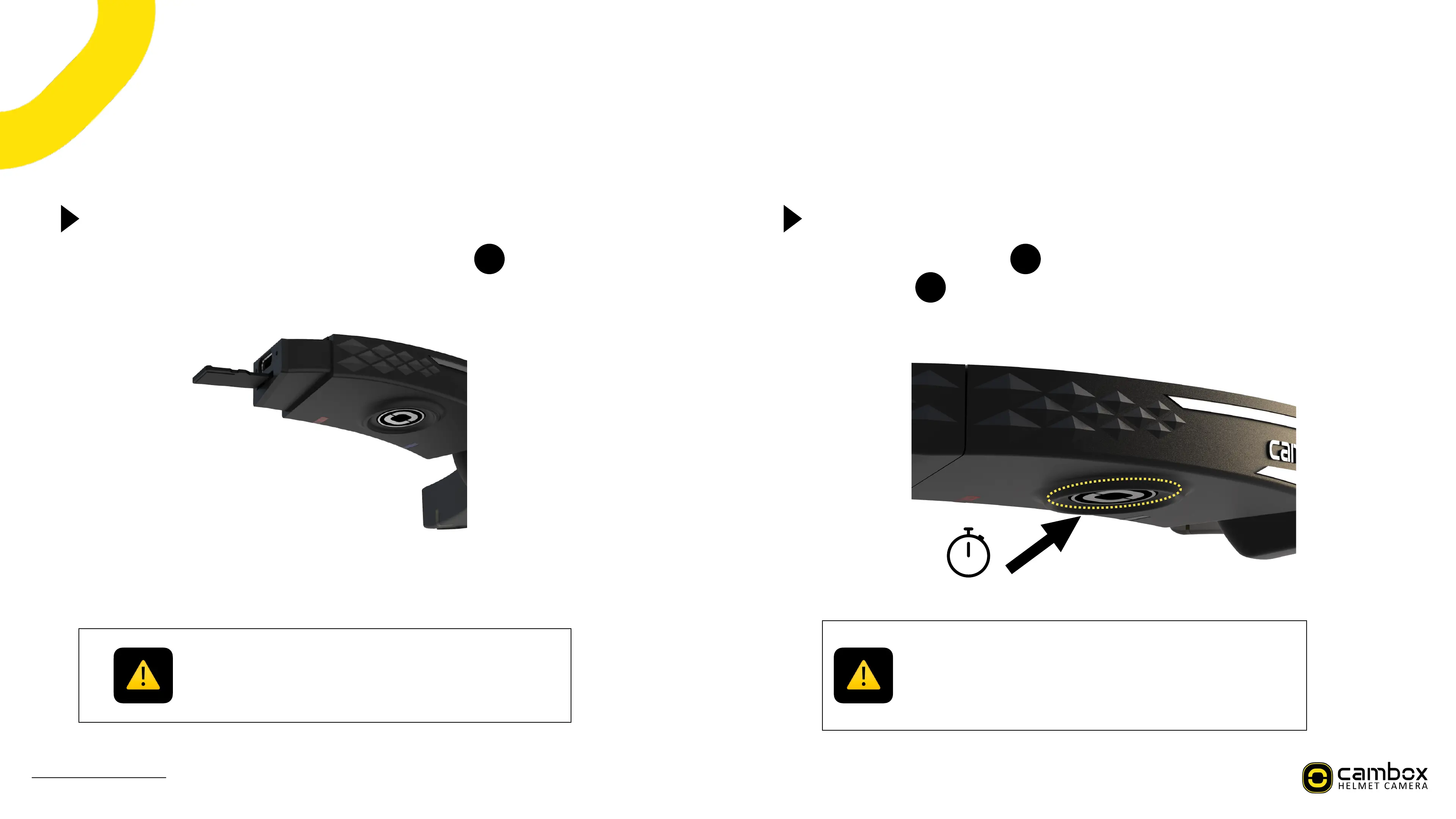
Before inserting the SD card, ensure the SD slot is clean to prevent!
any damage.
Before using your Cambox, check the following points :
1) Is the battery charged enough ?
2) Is there free space on your SD card ?!
3) The cap at the end of the camera is closed
a+:3.8%823%)9;./%S^%;*.<%
V+:".3%82*8%823%S^%;*.<%9:%D3##%=/.5*883<%9+8/%ExFAT%[6$%<3=*"#8%=/.%3?3.$%
S^%;*.<%=./5%T(f6\
123%)9;./%S^%;*.<%9:%8/%63%9+:3.83<%9+%823%S^%:#/8%%%%%%%%/=%$/".%4*56/7%
"+89#%98%;#9;Z:A
8
)*+"*#%,(%-./%0%!"#$%&'&(



 To Next Page