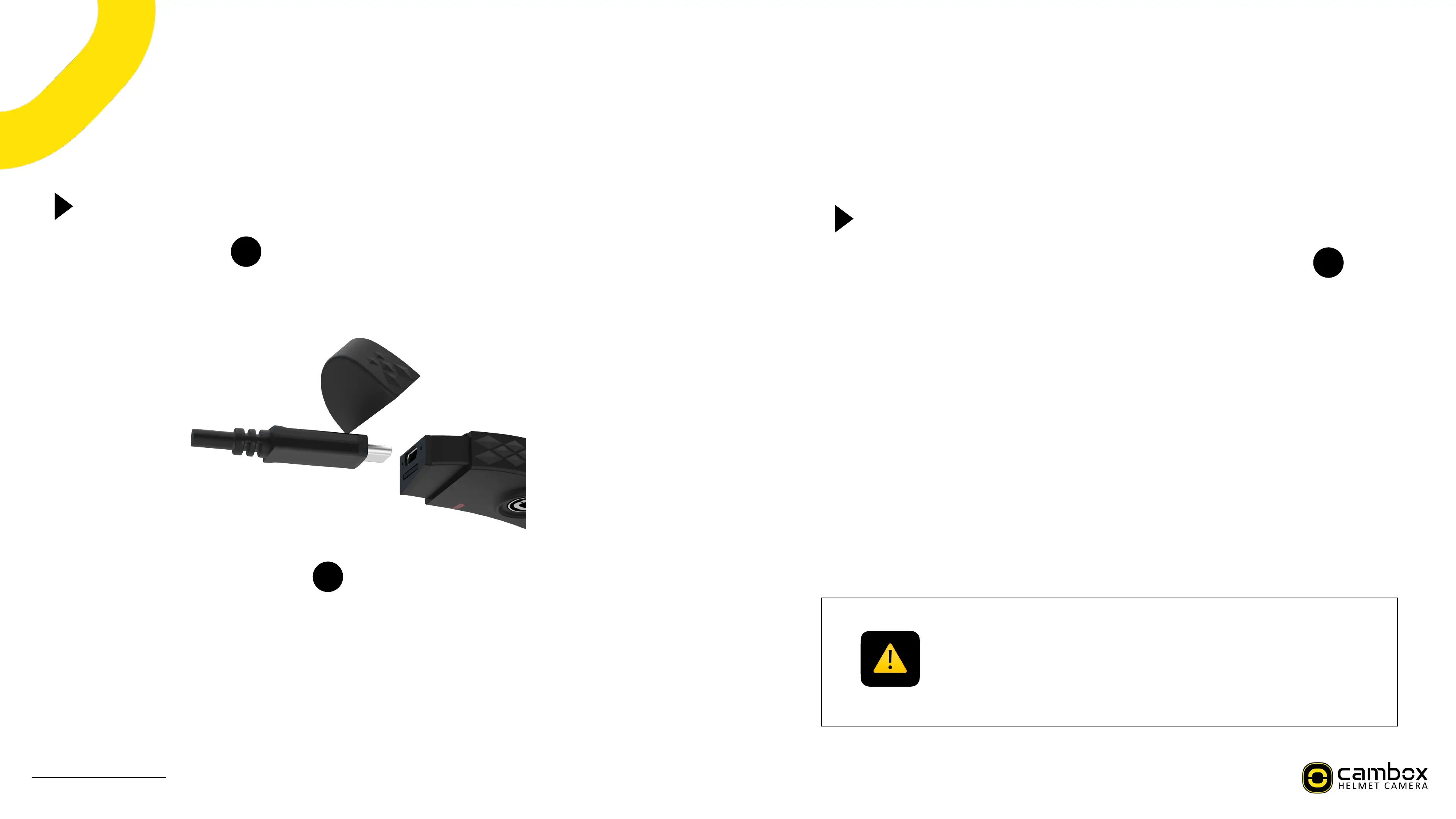
Charging your Cambox
42*.>9+>%823%6*883.$
PA L35/?3%823%;*@%%%%%%%%=./5%823%3+<%/=%823%;*53.*A%
&A 42*.>3%823%6*883.$%":9+>%823%@./?9<3<%RSG04%;*6#3A
H+;3%@#">>3<E%823%6*883.$%]V^%%%%%%%%%#9>28:%/+%9+%.3<%<".9+>%823%;2*.>9+>%[*./"+<%(%
2/".:\E%823+%63;/53:%:/#9<%>.33+%/+;3%823%4*56/7%9:%="##$%;2*.>3<A%
42*.>9+>%;*+%*#:/%63%</+3%82*+Z:%8/%*+%3783.+*#%@/D3.%6*+ZE%*%;/5@"83.%RSG%
@/.8E%/.%*+%*"8/5/69#3%*"79#9*.$%@/D3.%/"8#38d%2/D3?3.E%823%;2*.>9+>%8953%D9##%63%
#/+>3.A
G*883.$%:8*8":
_23+%823%6*883.$%#3?3#%63;/53:%8//%#/DE%823%6*883.$%]V^%
63;/53:%J%%
0
]H_%#3?3#%J%e*:29+>%.3<%
0
4La1a4F]%#3?3#%J%:/#9<%.3<%
_23+%823%4*56/7%9:%/+%*%;.989;*#%6*883.$%#3?3#E%.3;/.<9+>%*+<%
_9K9%;/++3;89/+%*.3%*"8/5*89;*##$%9+83.."@83<A
B/"%;*+%;23;Z%823%;2*.>3%#3?3#%/=%$/".%4*56/7%<9.3;8#$%=./5%823%
*@@A
IMPORTANT !
The battery can be removed from the camera.
When you charge the camera from a computer, ensure that the computer is
plugged into a power source. If the battery LED does not light on while charging,
use another USB port.
7
)*+"*#%,(%-./%0%!"#$%&'&(



 To Next Page